A free survey maker that helps you ask better questions
Make a survey or an online questionnaire: start from a template, a blank page or a short description for the AI assistant. Try the survey yourself, then open it and share the link or QR code. Sign up free, no credit card needed.
How to create a survey that gets useful answers
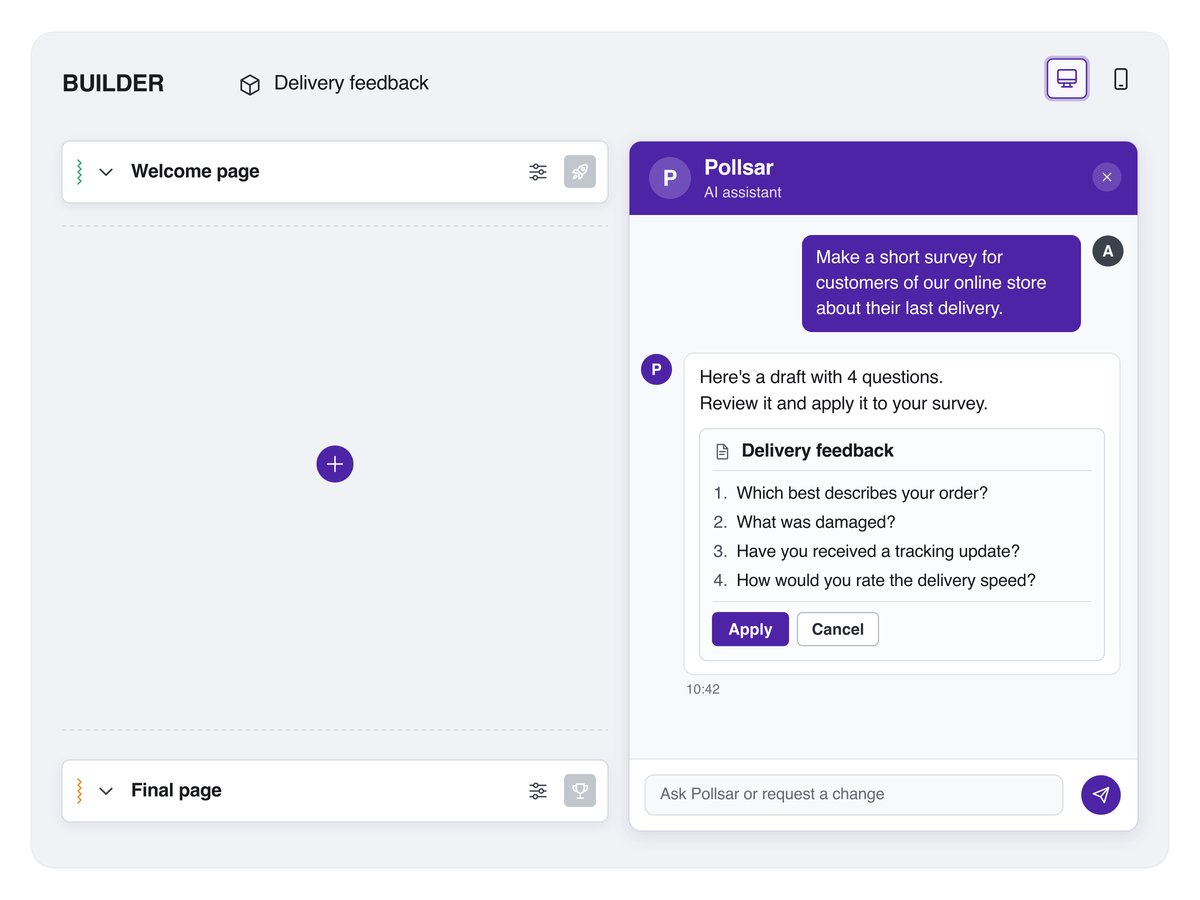
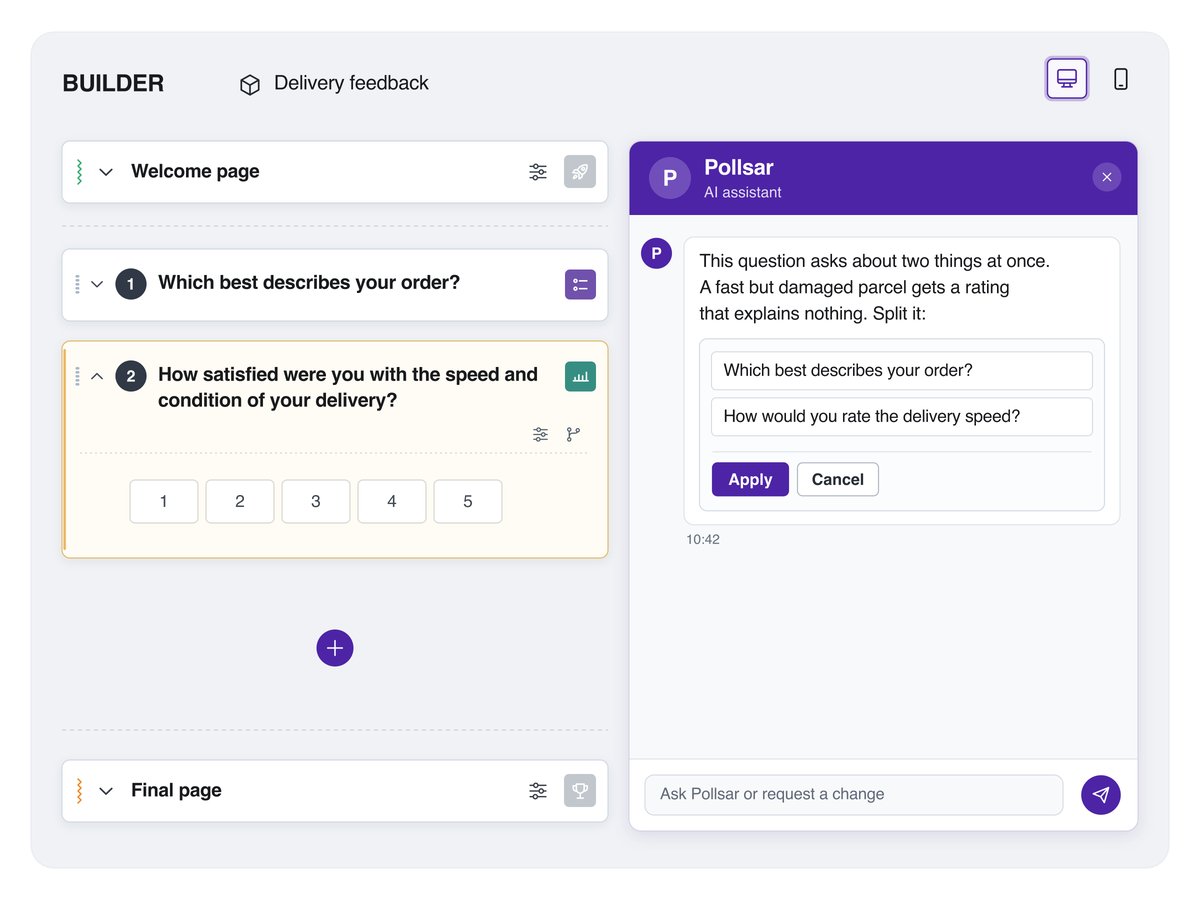
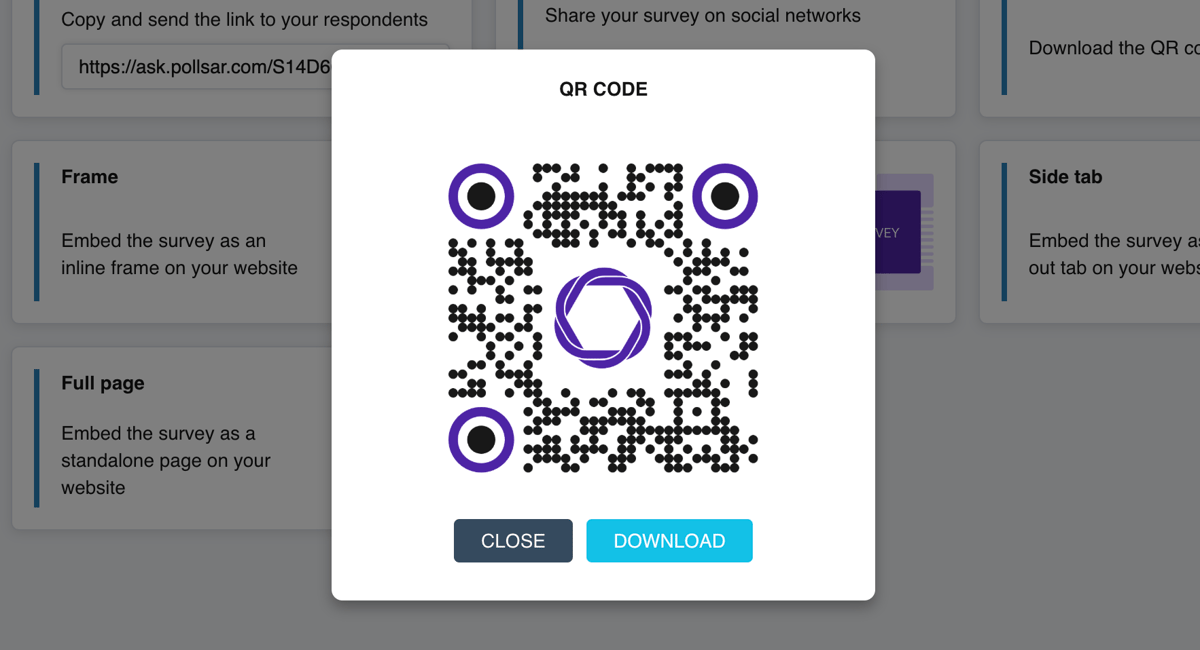
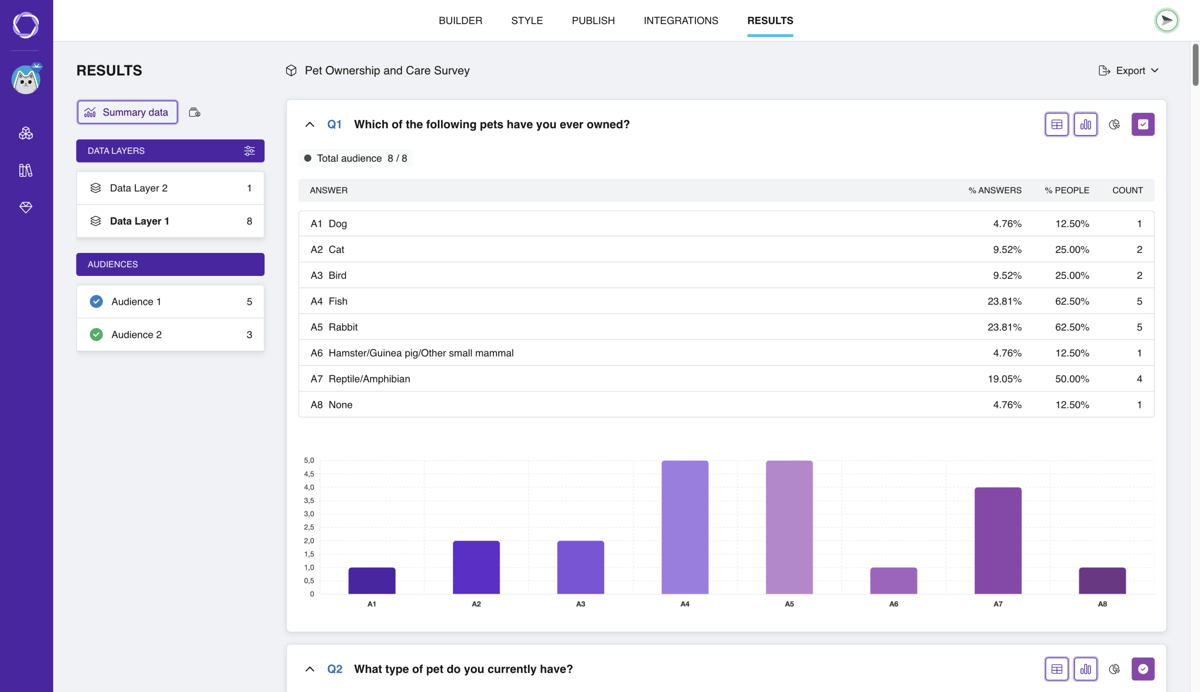
See how a delivery survey turns into a decision
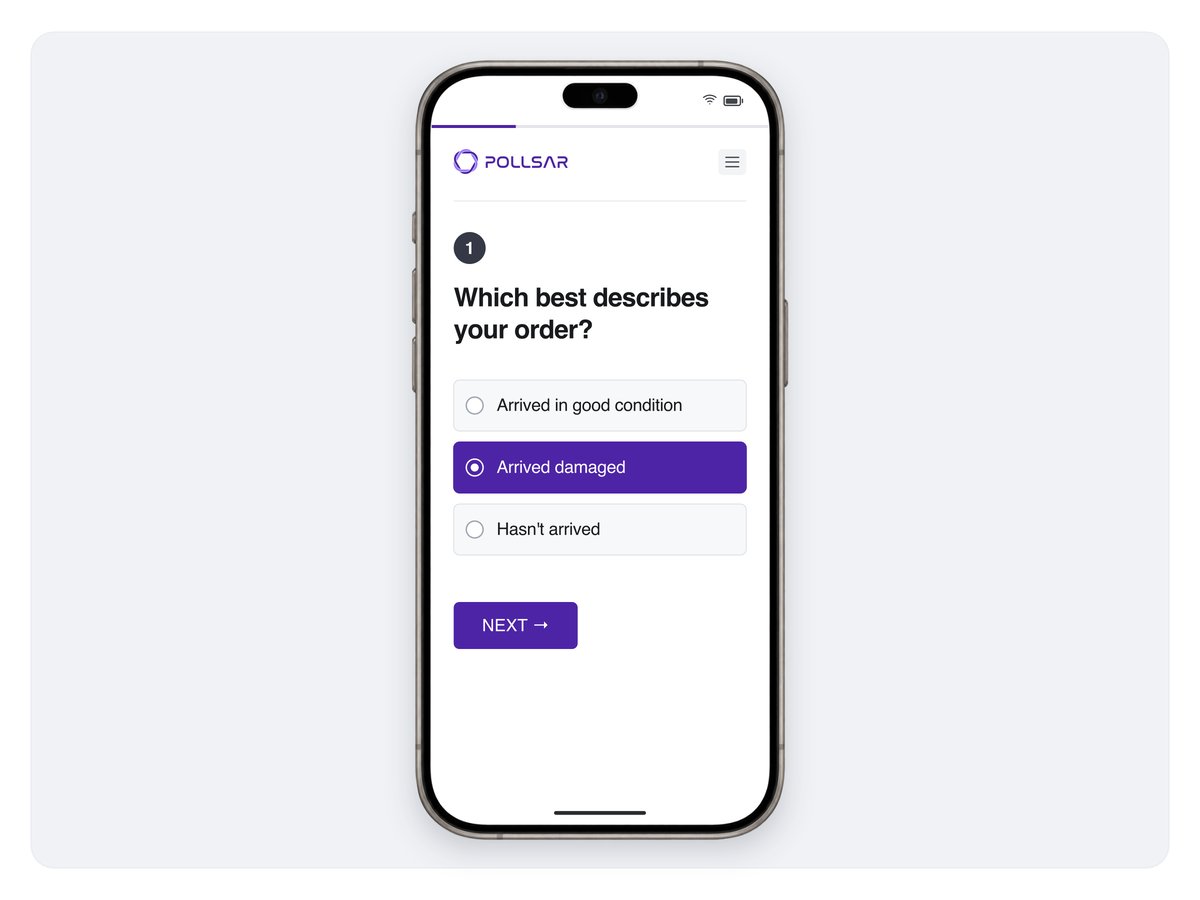
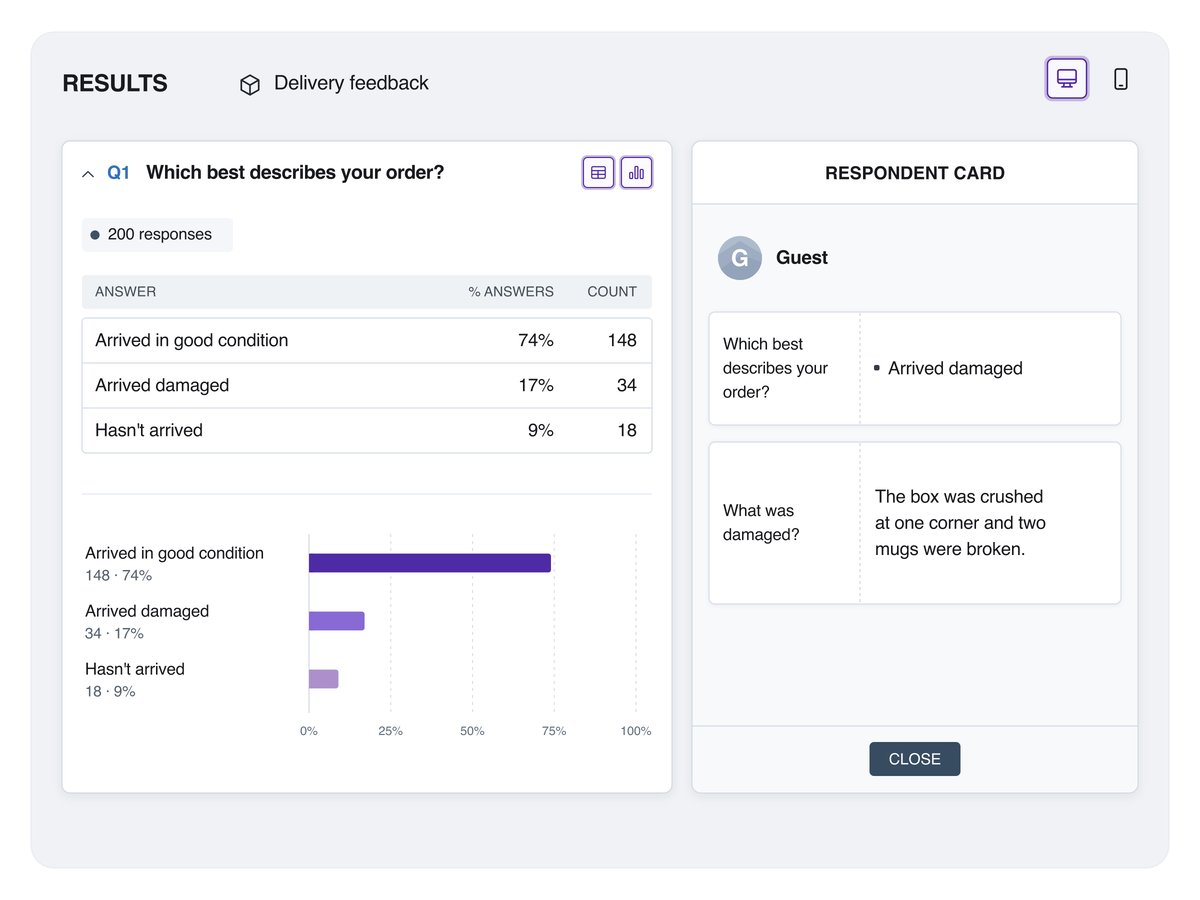
“How satisfied were you with the speed and condition of your delivery?” mixes two things: a parcel that came fast but broken gets a rating that explains nothing. Ask “Which best describes your order?” with Arrived in good condition, Arrived damaged and Hasn't arrived, and ask about speed separately.
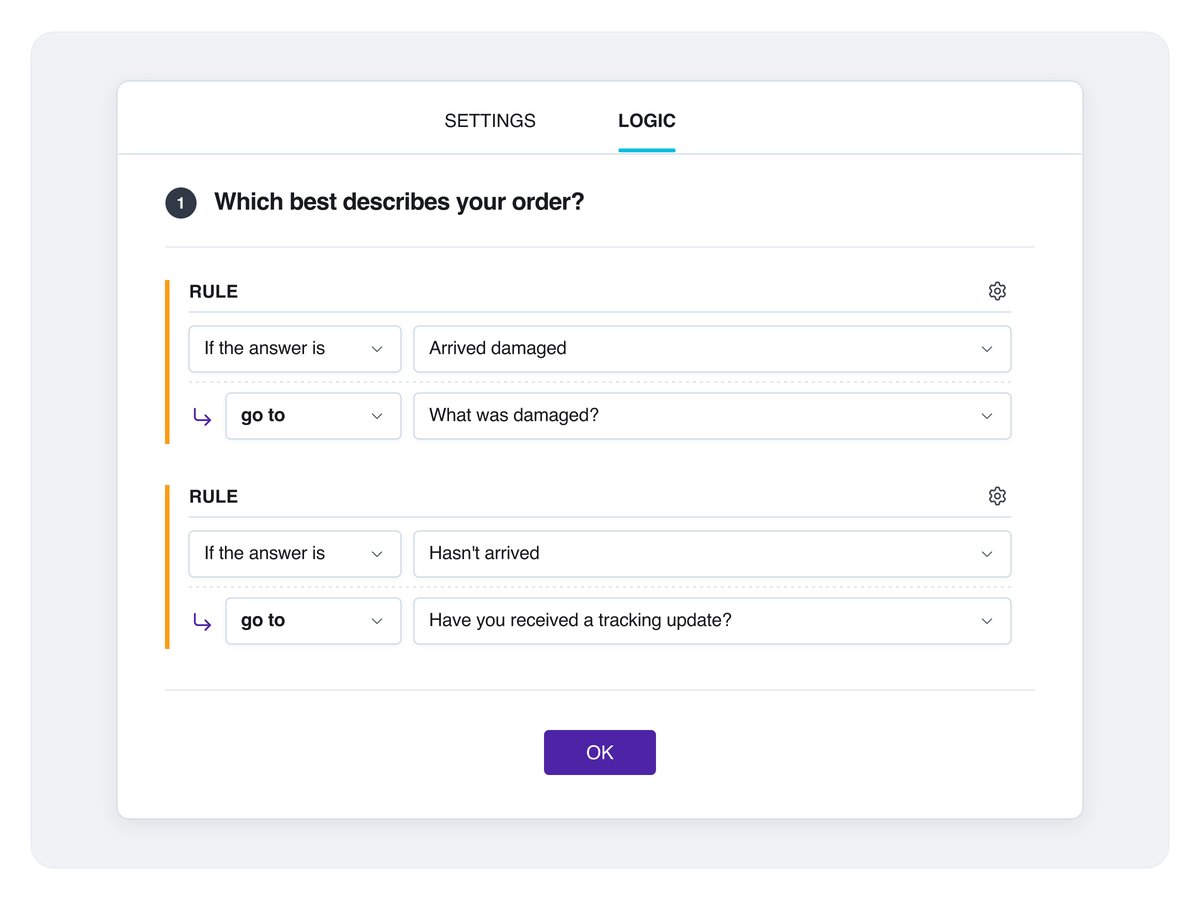
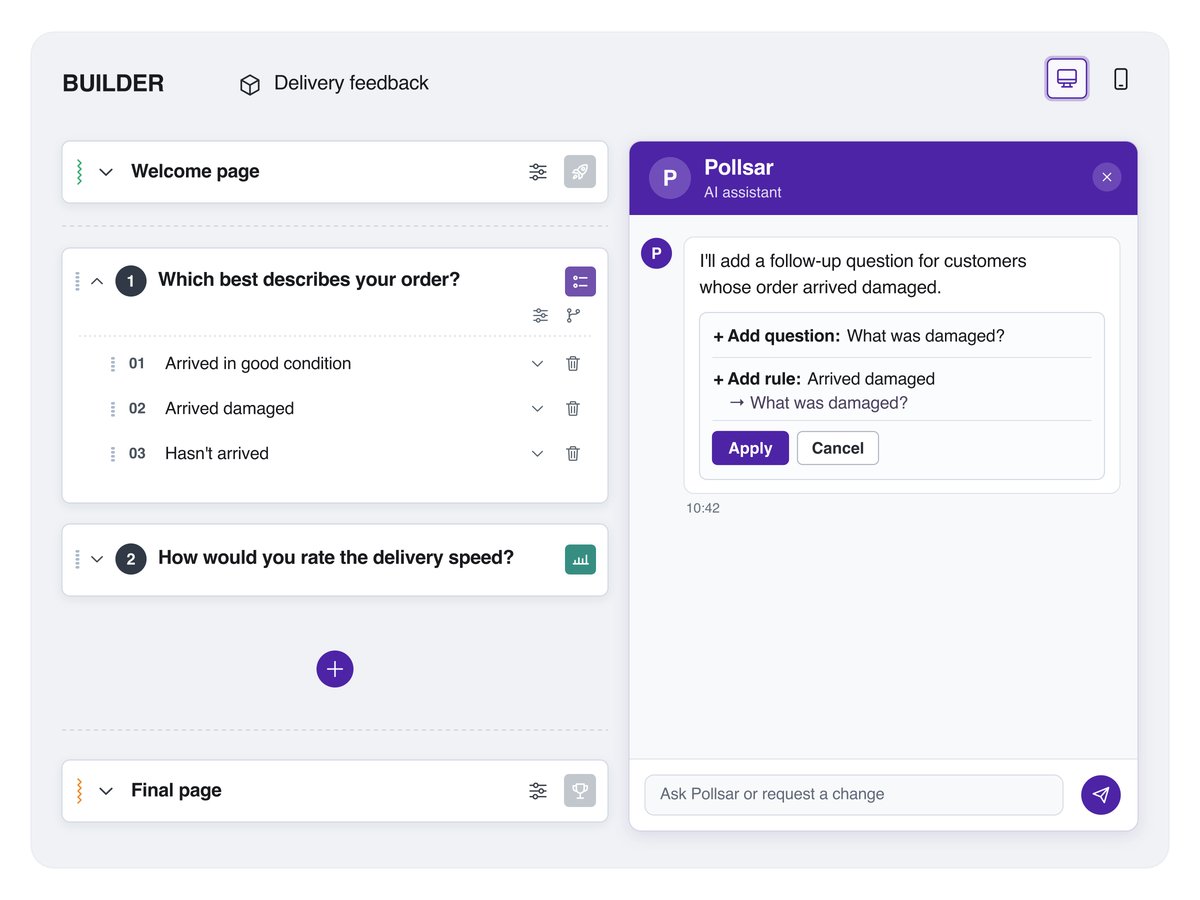
Logic sends people who chose Arrived damaged to “What was damaged?” and people still waiting to “Have you received a tracking update?”. Everyone answers about what they saw, and nobody has to guess the cause.
A QR code inside the box never reaches those whose box didn't arrive. Once the promised delivery date has passed, email the link: “Your order was due to arrive by now. Could you tell us what happened? We'll use your reply to check our deliveries.”
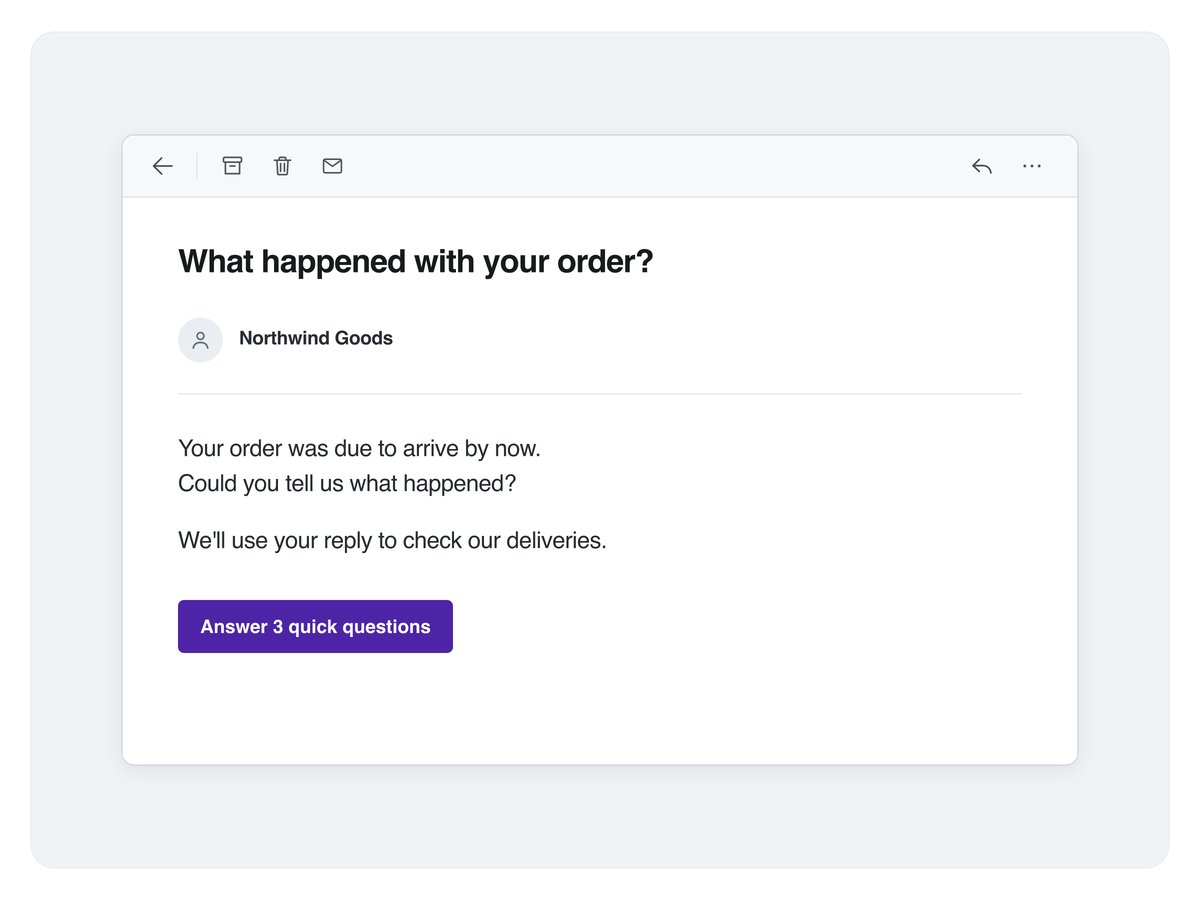
If damaged parcels keep coming up, look at packaging and handling; if missing ones do, compare tracking with the carrier. The chart describes the customers who answered, so read their comments in individual responses before you change anything.
An online survey platform with everything you need to create a survey
Start with AI, a template or a blank survey
Describe the survey to the AI assistant, copy one of 100+ ready-made surveys from the gallery, or start blank and add questions from the library.
Choose from 19 question types
Yes/no, single and multiple choice, rating, NPS®, Likert matrix, emotions, ranking, slider, number, open-ended text, email, phone, location, date and file upload.
Ask follow-up questions based on each answer
Use branching to skip questions that don't apply, ask “why?” only after a low rating, and send people to different final pages depending on their answers.
Show each respondent a result based on their score
Variables add up points as people answer, so the same survey becomes a quiz or a self-test that shows each respondent their own result at the end.
Match your survey to your brand
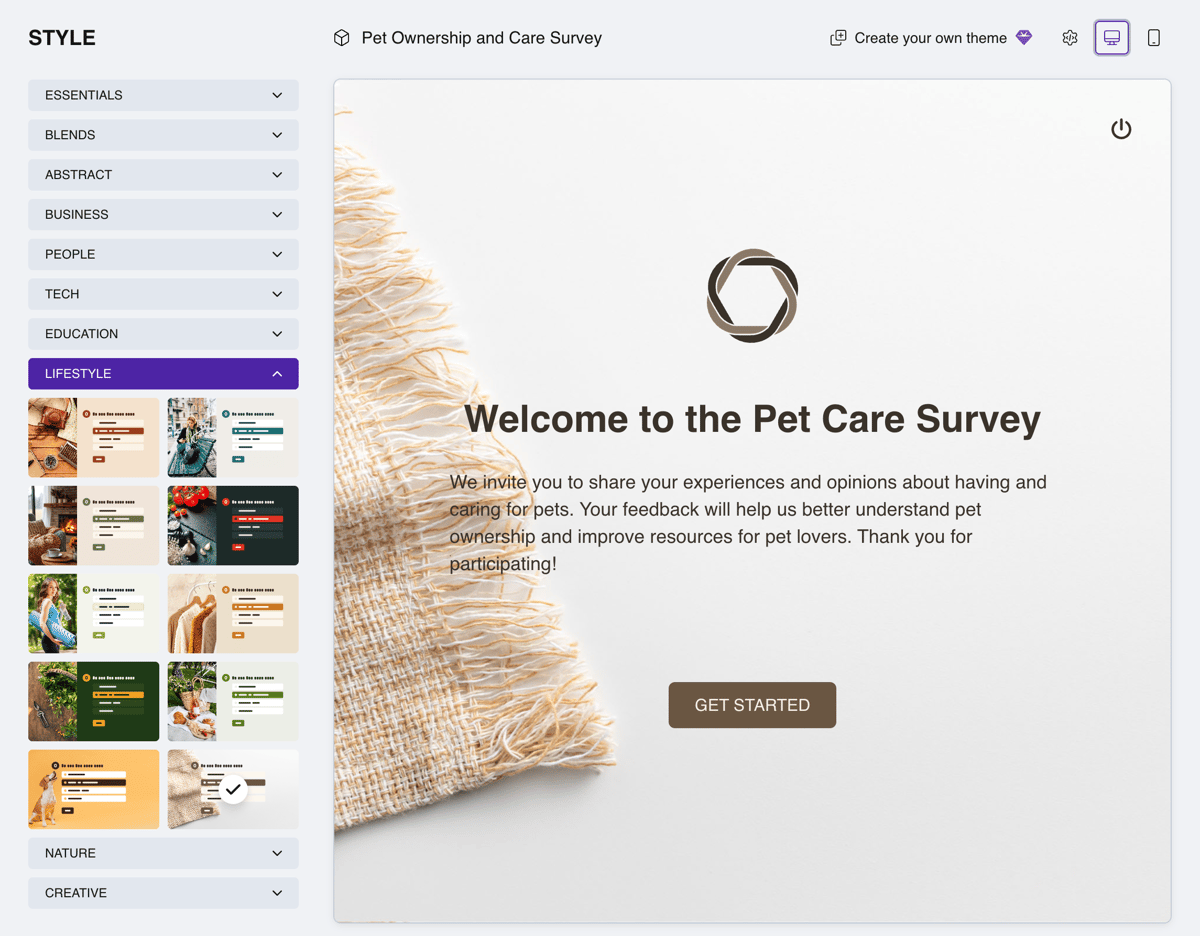
100 themes in eight categories, your logo in the header, images in questions and answer options, and a mobile preview to check how it looks on a phone.
Share your survey by link, QR code or website embed
One link for email and chats, a QR code to print, quick sharing to social networks. To embed the survey on your site, choose an iframe, pop-up button, side tab or full page.
Let people respond without signing up
People answer in the browser on an iPhone, an Android phone, an iPad or a computer, without installing an app or creating an account, and buttons and prompts follow the language of your survey.
Control who can respond and when to close the survey
Set a response limit for an audience so it closes on its own, protect the survey with a PIN code, or close and reopen it yourself whenever you need.
Compare answer patterns and read individual responses
Answer shares, averages and charts for choice and rating questions, the NPS® score with promoters and detractors, and every individual response with its comments.
Export responses to Excel, CSV or JSON
Download the summary or individual responses as XLSX, CSV or JSON, and individual responses also as PDF, for a report, a spreadsheet or your own analysis in SPSS or R.
Send responses to email, Google Sheets or another tool
Send every completed response to your email or a Google Sheets row, or connect another tool through Zapier or a webhook, without opening Pollsar to check.
An AI assistant that edits with you
Try “Draft a short survey for customers who contacted support: was the issue resolved, and what could we improve?” The survey generator gives you a title, a cover, questions and answer options, ready to edit.
Ask it to check the survey: it flags leading questions, questions that ask two things at once and branches respondents can't reach, suggests a fix and explains why it matters.
Before it touches the survey, the assistant shows exactly what it's going to change. You apply the edit or decline it, so nothing in your survey changes without your OK.
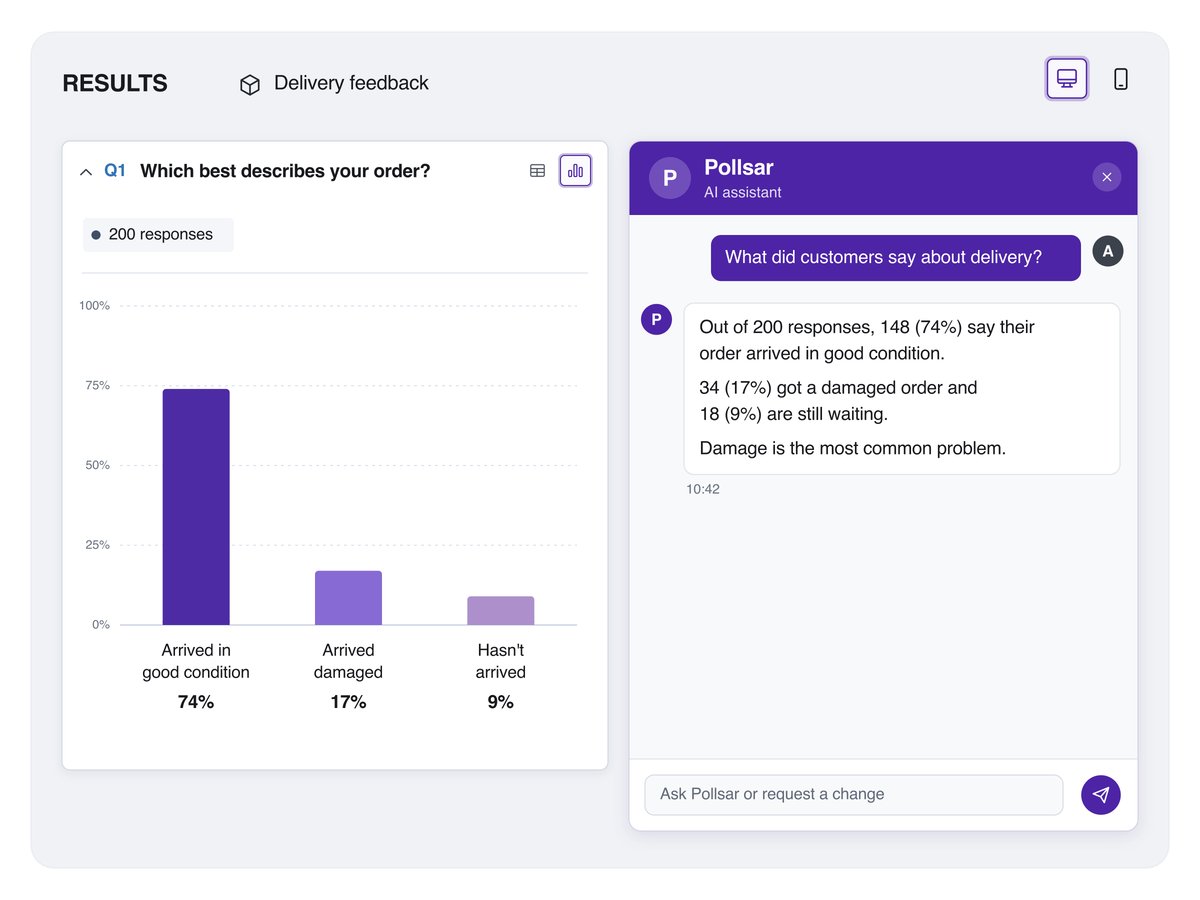
Ask which option people chose most often or what they rated lowest, and the assistant sums up the ratings and selected options of your survey in plain, short words.
Start from a ready-made survey

Delivery survey
Ask whether orders arrived on time and in good condition, and what went wrong when they didn't.
Open template
Customer satisfaction survey (CSAT)
Find out what customers like, what got in their way and what they would improve first.
Open template
NPS® survey
Measure how likely customers are to recommend you and learn the reason behind the score.
Open template
Employee satisfaction survey
Ask employees how they feel about their work, the team and the support they get.
Open template
Event feedback survey
Get feedback from attendees after a webinar, a sale or a meetup while the event is fresh.
Open template
Market research survey
Learn who your buyers are and what matters most to them when they choose a product.
Open template
Customer service survey
Follow up after a support conversation and ask whether people got the help they needed.
Open template
Lead questionnaire
Ask prospective customers what they need and how you can get back to them.
Open templateKeep your data clean while the survey runs
Keep test runs out of your results
Answer your own survey as many times as you like while you check it: test runs stay out of the statistics, so your first real response is the first one in Results.
Check the warning before changing a question
Once people have answered, Pollsar warns you before you add or delete a question, and question order is locked while the survey is open. Deleting a question also deletes the answers collected for it, so download your results first; the help center has the details.
Keep each survey wave’s responses separate
When you reopen a survey that already has answers, you can continue in the same layer or start a new one, so this month's round doesn't mix with last month's.
Give each audience its own survey link
Create an audience for each group, such as customers and partners, with its own link, QR code and response limit, and see which group each response came from.
Save your best questions for the next survey
Add a question you like to Favorites, sort favorites into sections and share a section with your team, so every new survey starts from wording you trust.
Track where each response came from
Add UTM tags to the survey link and each response records where it came from, whether that was the newsletter, a social post or a QR code on a flyer.
Before your first survey: is it free, how long, how anonymous
What would you like to find out?
Guessing what people think costs you menus nobody orders, events nobody enjoys and features nobody uses. Start with the question you'd ask one customer, teammate or student, and send it to everyone who can answer.