Customer satisfaction surveys for businesses
Pollsar is a customer survey tool for cafés, restaurants, salons, auto shops and retail stores. It brings post-visit ratings, complaints and NPS into one summary, so you see what to fix and hear about an unhappy customer from their survey, not from a bad review on Google Maps.
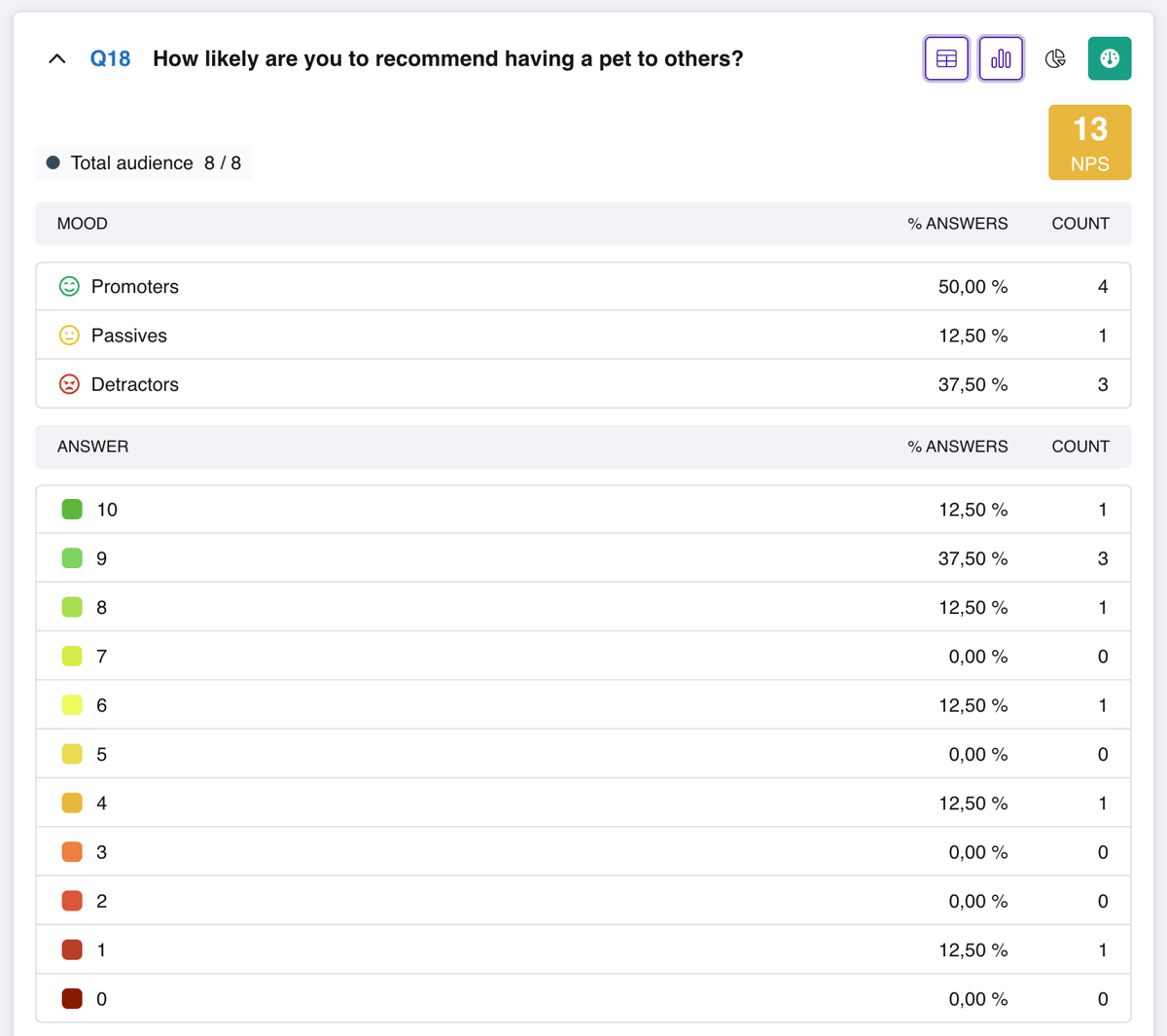
Customer surveys: ratings, complaints, NPS
Satisfaction after each visit
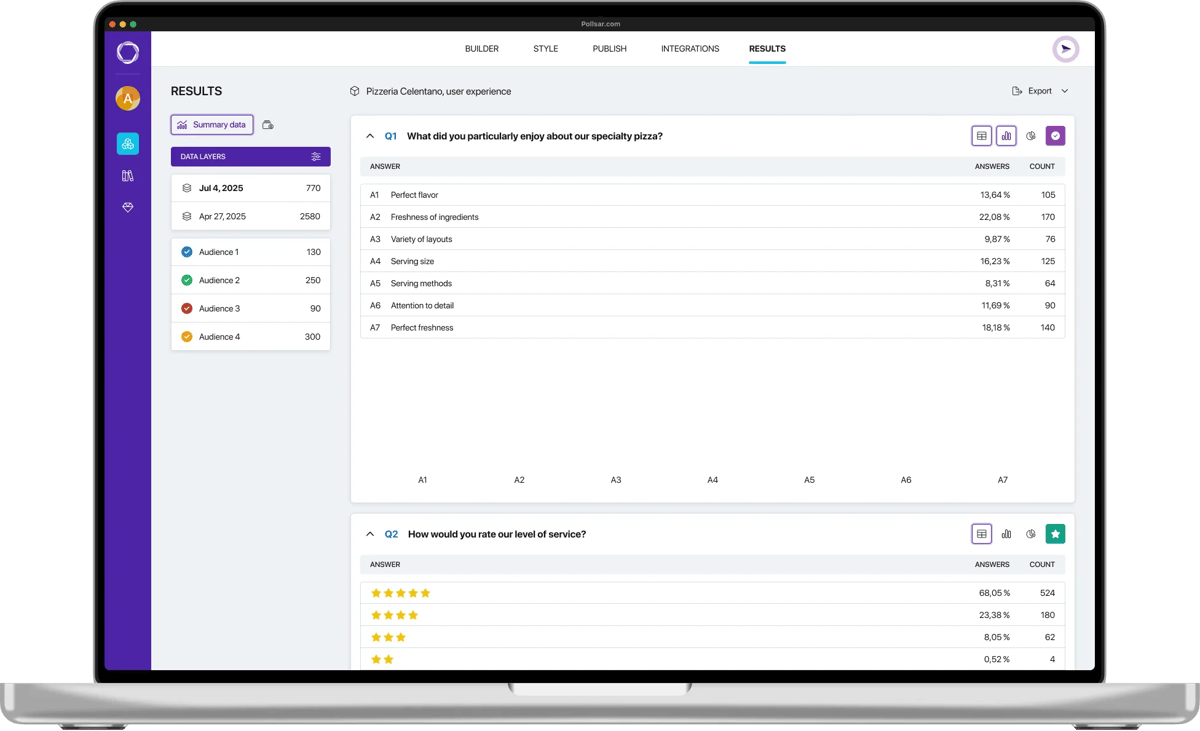
Customers rate a visit, purchase or delivery with stars, smileys or coffee beans. The summary shows the share of each rating, and 4s and 5s together give you your CSAT. A ready-made customer satisfaction survey then asks what pulled the score down.
Service quality ratings
A café or hotel guest rates the food, cleanliness and wait time; a salon or auto shop customer rates the stylist or mechanic and the turnaround, all in one question. The summary shows which item drags the score down, and a chain sees the ratings of each location separately.
Complaints and suggestions
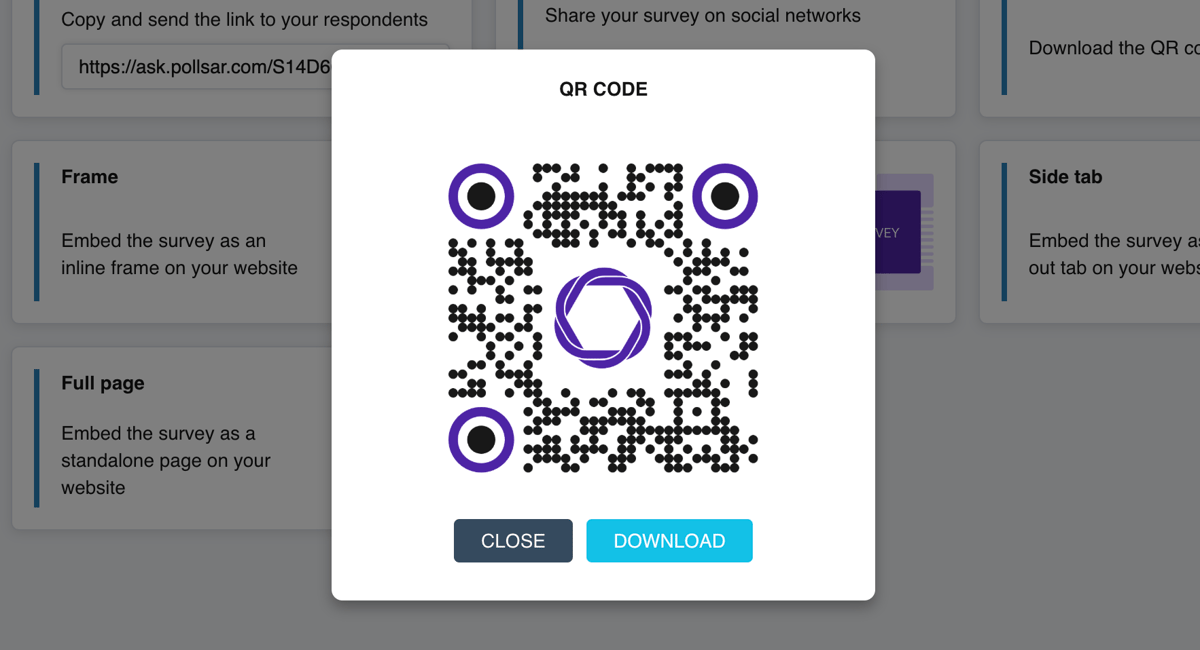
Customers scan a QR code at the register, write a complaint or an idea, attach a photo and leave a phone number: that's your digital comment card. Every entry lands in your inbox right away, so you can reply to the customer the same day.
Google reviews after the survey
The survey's final page shows a link to your Google Maps listing, Yelp or Tripadvisor page, and one tap takes the customer to the review form. A sign that sends people straight to a review site won't tell you what went wrong. A survey will.
Net Promoter Score (NPS)
On a 0–10 scale, customers say how likely they are to recommend you to a friend. Pollsar calculates the score and splits customers into promoters, passives and detractors, and the ready-made NPS survey asks what they value and what gets in their way.
Retail shopper surveys
In-store shoppers rate the selection, staff and checkout; online shoppers rate payment, the courier and the condition of their order. Add the link to your order confirmation, and a post-purchase survey shows what got in the way of buying.
How Pollsar finds what went wrong
The AI assistant builds a survey from a single sentence, spots leading questions or ones that ask about two things at once, and suggests a fix.
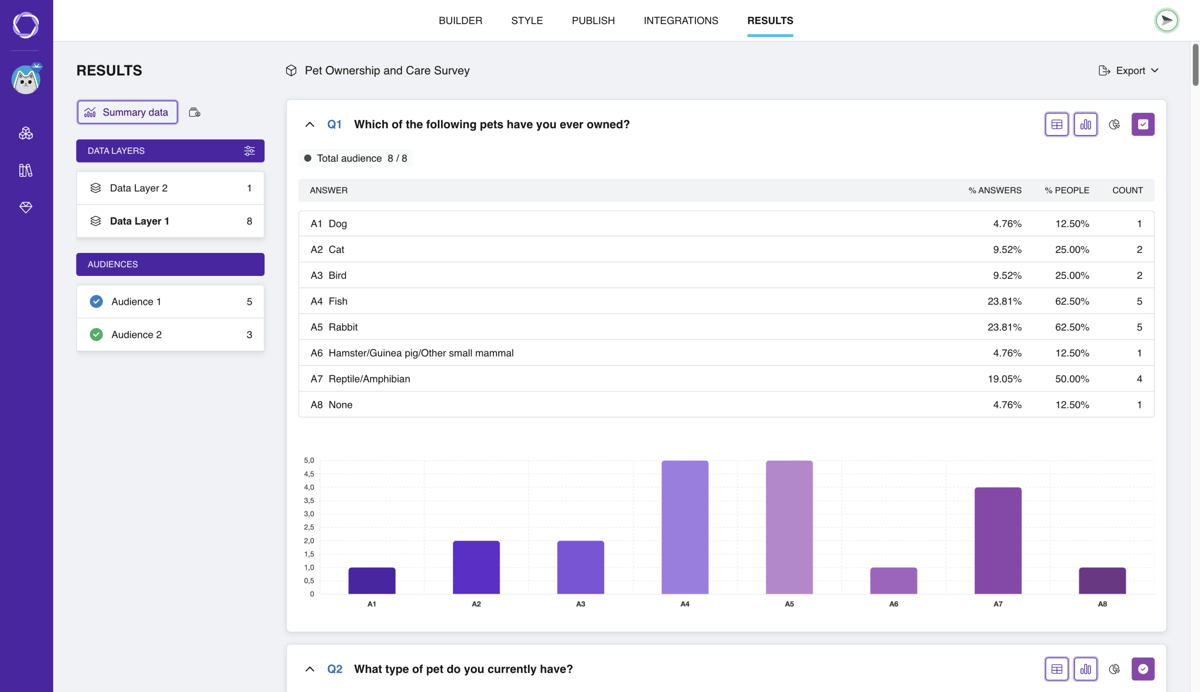
Pollsar calculates the average score for each item and colors the charts from green to red, so you see where service quality slips.
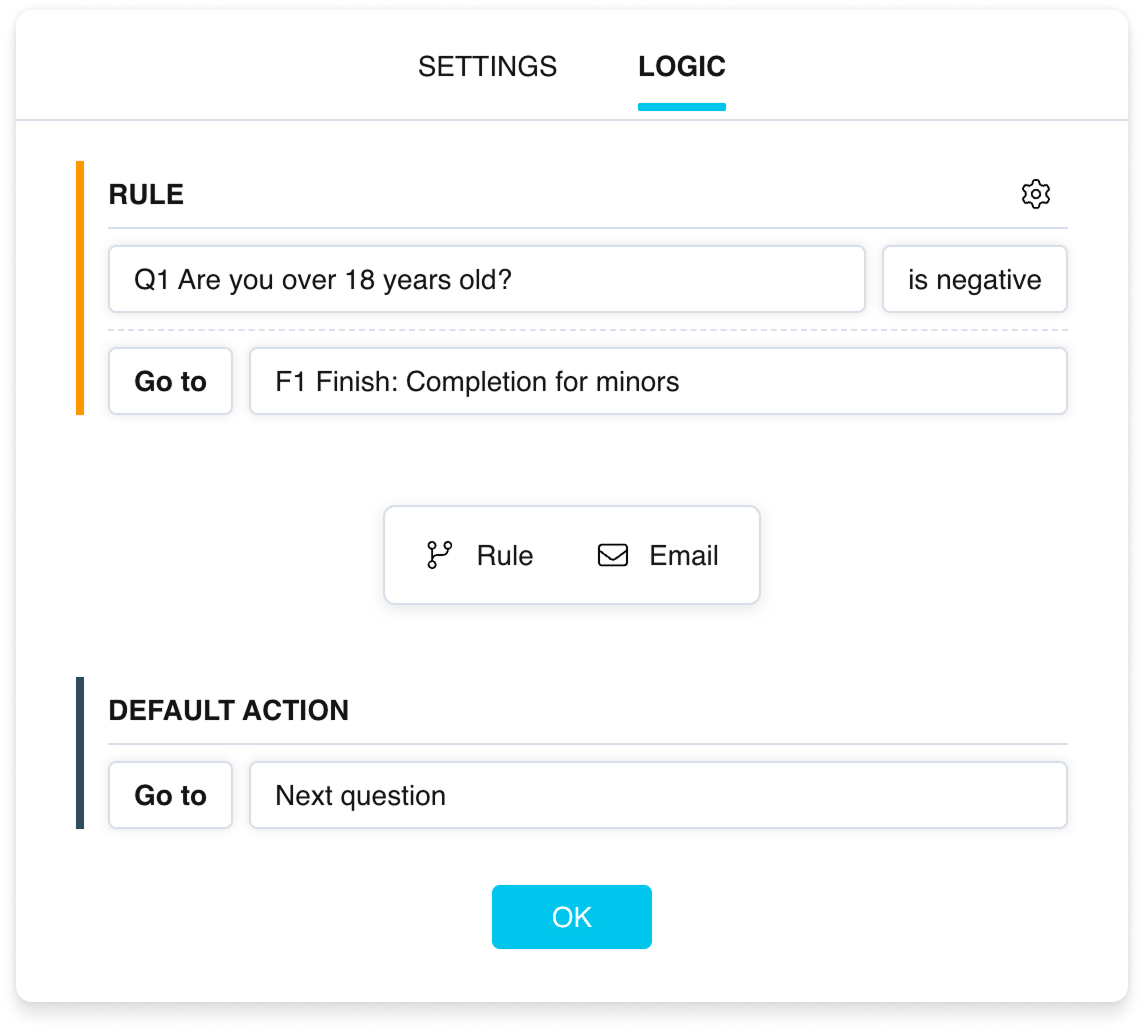
Anyone who rates you below 4 gets “What went wrong?”, and a happy customer goes straight to the thank-you page. Set the rule in the question settings without code, or let the AI assistant do it.
Pollsar emails you the response of everyone who rates you below 4 right after they submit: if the customer left a phone number, you can call them back the same day.
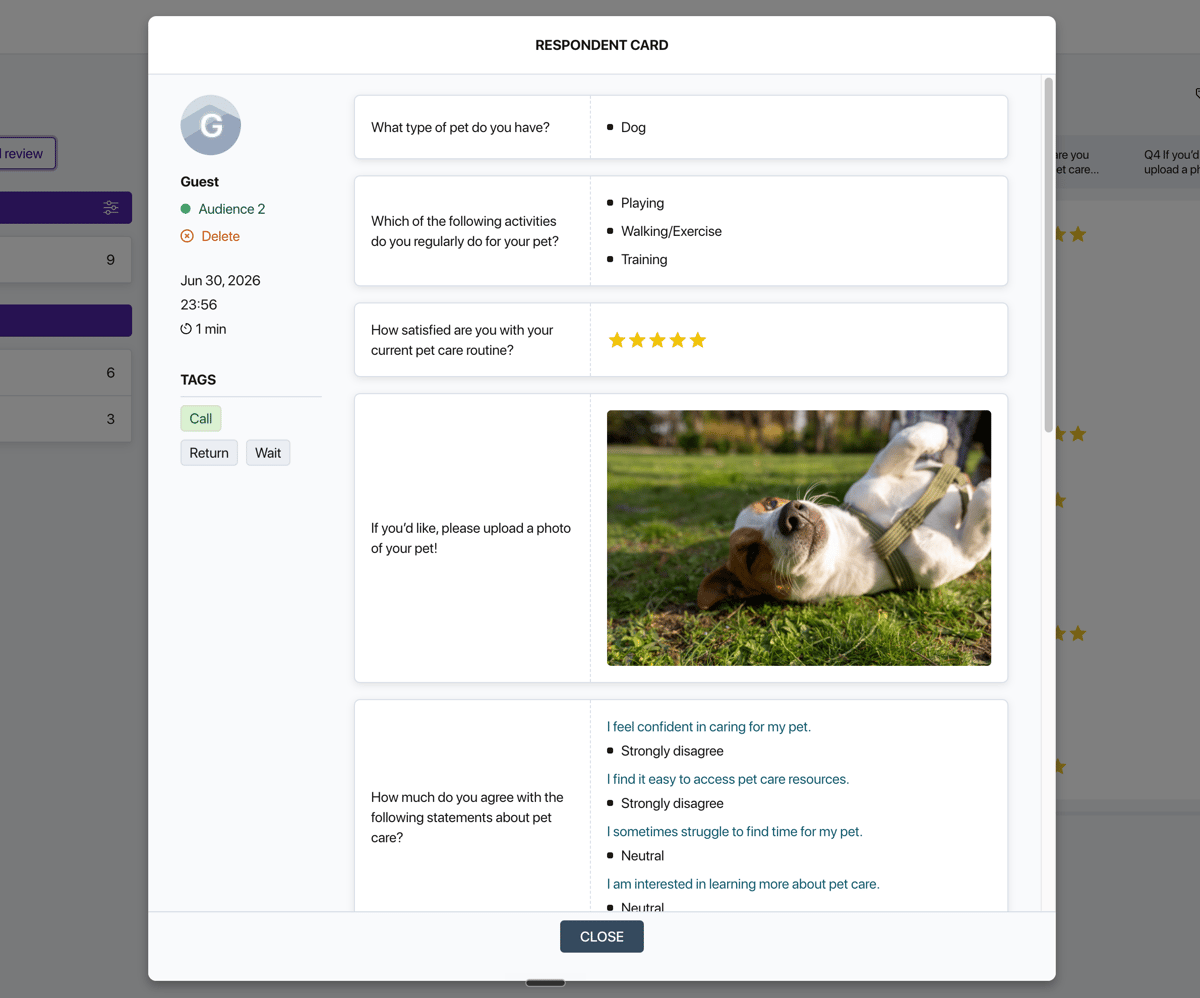
The AI assistant finds the items with the lowest scores, reads the comments if you ask it to, and puts together a report on what to fix first.
How to launch a customer survey

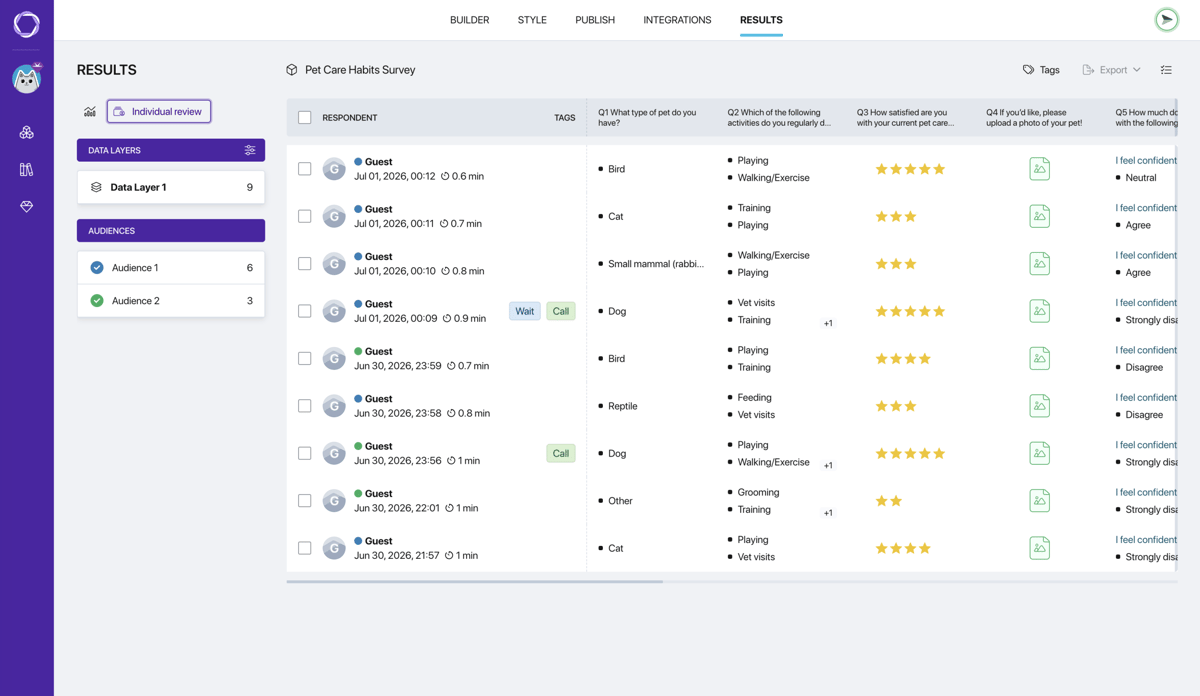
Customer survey templates

Customer satisfaction survey (CSAT)
Star rating, what pulled the score down, likelihood to recommend and what would build loyalty.
Open template
Customer service survey
Speed, professionalism and how the request was resolved. Send it once the ticket is closed.
Open template
NPS® survey
A 0–10 scale, your loyalty score, what customers value most and what frustrates them.
Open template
Post-purchase survey
How easy checkout and payment were, how clear the prices were and why a shopper didn't finish.
Open template
Delivery quality survey
Delivery speed, the item's condition on arrival, how the courier did and why an order never came.
Open template
Customer experience survey
What customers expected from a visit or purchase, what they got and what surprised them.
Open template
Post-event survey
How a sale, workshop or webinar was organized, how appealing the offer was and what to run next.
Open template
Loyalty program survey
How customers rate rewards and discounts, and why some don't join the program.
Open template
Customer churn survey
Why customers stopped coming, what keeps the rest and what would win back those who left.
Open template
Product return survey
How filing the return went, how fast the refund came and whether support helped.
Open templateWhy choose Pollsar
You get every customer's feedback instead of comment cards
Customers answer on their phone, with no app and no sign-up, and the answer goes straight into your summary, not onto a pile of paper nobody ever tallies. Every customer who walks in can rate the experience, not just one mystery shopper.
You can launch a free customer satisfaction survey today
No credit card and no time limit: templates, the QR code, star and smiley ratings, the link to your review page, the intake form and the response summary all work from day one. Add the rest when you need it.
You take bookings and requests via intake forms
Customers book on their own, no phone call needed: name, phone number, preferred date and notes, and each request lands in your inbox right away. Workshop sign-ups close automatically once the spots run out; afterwards, send attendees a post-event survey.
You get a survey branded to match your business
Pick one of 100 themes and add your logo: customers see at once that the survey is yours, not someone else's form, and they're more willing to answer. Switch themes in one click, and the responses you've collected stay put.
Customer survey FAQ
What brings customers back
Ask customers while they still remember every detail of their visit. Pollsar shows what spoils the experience: the food, the stylist or the wait. A rating below 4, and their response is already in your inbox. With Pollsar, the customer who would have left without a word tells you what to fix!