Survey Introduction: Template, Examples and a Line-by-Line Rewrite
A survey introduction is the short message people read or hear before the first question: a title and a few sentences that say who is asking, why, how long it takes and who will see the answers. Its job is to give a stranger enough to decide whether to start, and to make that decision feel safe.
Introduction, description, instructions: three different texts
- Introduction, also called the welcome message or welcome page. The first screen of the survey. It answers why should I start this?
- Description. A survey description sums up the topic in a line. It appears under the title in a list of forms, in a link preview or next to the invitation, and it answers what is this?
- Instructions. How to answer one question or one group of questions. They answer how do I do this? and sit beside the question they explain.
- Title. The name above all three. Name the reader's experience, not your project: How was your order? rather than Q3 Customer Pulse.
Here are all three for one survey, so you can see where each line goes. Lena runs a small online plant shop called Green Corner and wants to hear how deliveries went.
- Description: A short survey about your plant delivery.
- Introduction: I'm Lena from Green Corner. Your feedback will help us pick next season's courier.
- Instruction: Choose one answer for your most recent order.
What a survey introduction says
A careful reader wants to know who you are, what their answers will change, how much time you are asking for, who will see what they write, and that you are grateful. Each line of the template below answers one of those, in that order.
Five-line survey introduction template

Hi, I'm [name] from [team or organisation].
We'll use your answers to [the decision they will shape].
There are [number] questions, and the survey takes about [time you measured on a phone].
[Who] will read your answers, and [how and when you will share the results].
Thanks for helping us [goal].
Fill the brackets, then time the finished survey on your own phone and round up. A bracket you cannot fill points to a gap in the survey itself: if you cannot name the decision in line two, the questions are probably not ready either. That decision is also where the guide on how to design a survey begins. The fourth line has ready wordings for anonymous, confidential and named surveys further down. If there is a reward, add one line that says who qualifies, what they receive and when.
Bad intro → better intro: one rewrite, line by line
Lena's first draft for the delivery survey looked like this.

- Welcome to our survey! → Your plant arrived last week. How did it go?
The title names a moment the customer lived through, not a document. - Your feedback is very important to us. → Hi, it's Lena from Green Corner. We'll use your answers to choose next season's courier.
A named sender and a real decision replace the reason every survey gives. - Nothing about length → Four questions, about a minute.
Without it, the customer cannot tell whether this takes one minute or fifteen. - Please answer honestly. → removed.
It hints that you expect the opposite. Neutral questions do this job better. - All responses are strictly confidential. → Only Tom, who handles shipping, and I will read them.
Named readers are a promise the customer can picture and you can keep. - Thank you! → Thanks for helping us choose.
The thanks now points back to what the answer is for.

Hi, it's Lena from Green Corner. We'll use your answers to choose next season's courier. Four questions, about a minute. Only Tom, who handles shipping, and I will read them. Thanks for helping us choose.
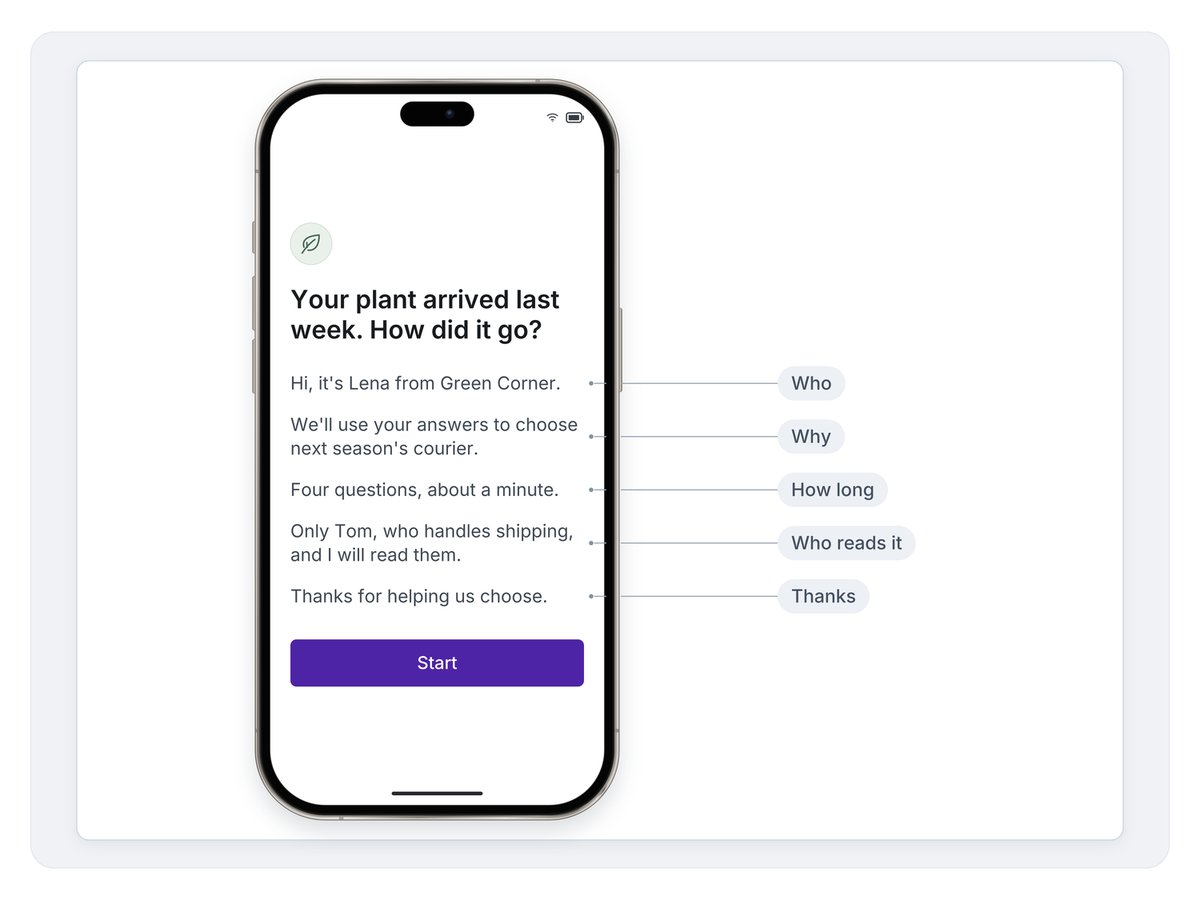
Example welcome page for a delivery survey
The new version is longer, 44 words against 24, and each added word answers something the reader would otherwise have to guess. To find out whether it works for your audience, show each opening to a random half of the people with the same questions behind it. Then compare starts per welcome-page view and finished surveys per start.
Survey introduction examples by situation
Customer satisfaction survey
Hi from the team at [company]. We'll use your answers to decide what to fix first in [store]. There are [number] questions, about [time]. Only our service team reads them, and we never use them for sales calls. Thank you!
Keep a customer satisfaction, or CSAT, survey about the visit or purchase itself, and send it within a day or two while the experience is fresh. The rating and follow-up questions are ready in the product satisfaction survey template; keep the ones that fit, then put the count and the time of what is left into your opening.
Employee engagement survey
This survey comes from [HR team or leadership group]. Last year your answers led to [one concrete change]; this year they will shape [the next decision]. There are [number] questions, about [time]. We don't ask for your name. Only [survey team] can see individual responses, managers receive group results only for teams with at least [number] responses, and [who] reads the written comments. The survey is open until [date]. Thank you for taking part.
Last year your answers led to… answers the silent question in every staff survey: does anyone act on this? The privacy line names who sees what instead of promising that nobody can be identified, because a minimum group size does not hide a comment only one person could have written. Start from the employee engagement survey template, then announce the survey to the team a few days ahead with a short message like the one below.
Hi [team], we're asking what would make your work easier this quarter. The survey takes about [time], and you can answer until [date]. We'll share the group results and next steps on [date]. [Survey link]
Event feedback
We are [organiser], and we are already planning the next one. Tell us what to keep and what to change: [number] questions, about [time]. We read every comment, and each speaker sees the scores for their own session. Thank you!
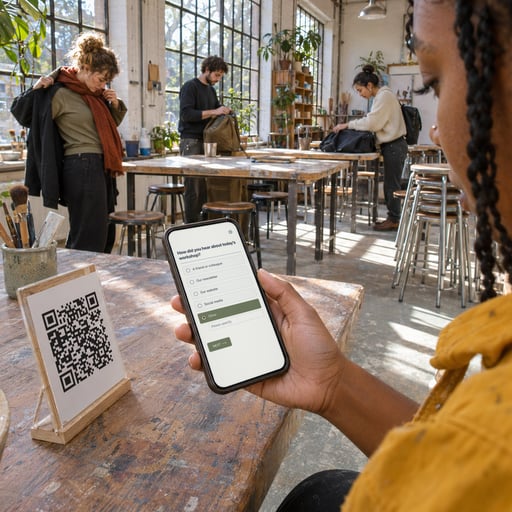
Send it the same day and say who sees what: speakers and sponsors often receive part of the results, and attendees should know before they write. On a printed programme or the closing slide, put the survey's QR code with a one-line title, which does the work of a description.
Research study with consent
This survey is part of a study by [researcher], [institution]. We want to understand [research question in plain words]. It takes about [time]. Taking part is voluntary; please read the [participant information sheet] before you decide. [Say which questions people can skip, what happens if they stop partway through, and whether submitted answers can be withdrawn.] Questions about the study: [contact email]. On the next screen you will be asked whether you agree to take part.
Use your institution's approved consent wording; it takes priority over any example, including this one. Do not promise that people can skip every question or withdraw later unless your setup allows it: an anonymous response without a code cannot be found again once submitted. The consent step is one Yes or No question right after the introduction, and in Pollsar a Rule on that question can send a No straight to a finish page.
Classroom check-in
Hi class, this is [teacher]. I'll read your answers to choose what we review before [test or next unit]. There are [number] questions, about [time]. This is not graded, and there are no wrong answers. Thanks!
Students need two things said plainly: whether it counts toward a grade and who will read their answers. If the survey is for your class only, the welcome page can ask for a five-digit PIN code that you write on the board. The link alone opens the welcome page; anyone with the link and the PIN can take the survey.
Phone, pop-up or QR code
- Got 30 seconds? One question about this page.
- Did you find what you came for? Two taps, no sign-up.
- Rate today's class: one question, no name needed.
Inside a site widget the introduction shrinks into the title. Who is asking is clear from the site, so the line carries the topic and the effort. When that line gives enough context to answer, put the single question on the first screen; in Pollsar you switch off the welcome page in the survey settings and people land on the question. The ways to place a survey on a page, inline, as a pop-up or as a side tab, are on the website feedback page.
Asking for a name vs promising anonymity
Whether to ask for a name is decided before the first question. Once people have typed their name, they answer as themselves, and some will choose softer words. Pick one of three honest levels and word the introduction to match it.
- Anonymous. You ask nothing that identifies the person and do not link answers to an invitation list. Say We don't ask for your name or email.
- Confidential. You know who answered, and only named people see it. Say Only [who] can see individual responses. Others receive group results for teams with at least [number] responses.
- Named. You need the name to act on the answer. Say We ask for your name so [team] can [specific purpose]. [Who] will see it alongside your answers.
When a reply is optional, ask at the end rather than the start, as an optional question: Want a reply? Leave your email, and only [who] will see it. By then the person has seen your questions and knows what they are trusting you with.
Survey instructions: put them where the question is
An instruction on the welcome page sits far from the question it explains. Keep one general line in the introduction only if it applies to everything, such as there are no right or wrong answers, and give each other instruction at its question. Typical survey instructions for participants look like this.
- Pick the one answer closest to your view.
- Choose up to three.
- Drag the items into order, most important at the top.
- Think about the last 30 days only.
- This question is optional.
- If this does not apply to you, choose Not applicable.
Each works best in the small line under its question. In Pollsar every question has a Description field for this, and a Note block holds a longer explanation between two parts of a survey, such as a short scenario to keep in mind. A question that needs a paragraph of instructions is usually two questions; the guide to ranking survey questions shows how far a single line can go.
The welcome page and the thank-you page are a pair
On the last screen you keep the promises of the first one. The welcome said why and what will change; the thank-you page says what happens next and when. A survey that opens warmly and ends with a bare Your response has been recorded feels like a form that swallowed your time.
- Welcome: We'll use your answers when we pick next season's courier. → Thank-you: Thanks! We'll announce the new courier in our newsletter in [month].
- Welcome: Last year your answers led to flexible Fridays. → Thank-you: Results go to every team on [date], together with what we will change.
- Welcome: I'll read your answers to choose what we review. → Thank-you: Thanks! We'll go over the trickiest topic on Monday.
- Welcome: Taking part is voluntary. → Thank-you: Thank you for taking part. Questions about the study: [contact].
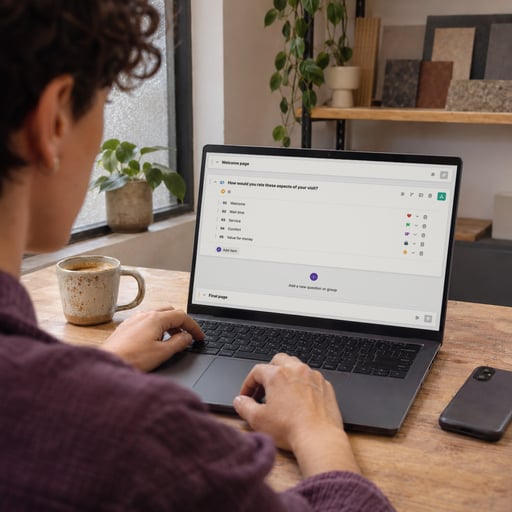
The thank-you page can also point people who are still interested to a related survey, a social page or something useful; Lena's links to her care guide for new plants. In Pollsar the Welcome page and the Final page frame every survey in the builder, both take a title, formatted text and variables, and logic can send people to different finish pages. A customer who rated delivery low can then see an apology and a direct contact instead of a generic thanks. Setup is in the help article on welcome and final pages.
The invitation email is a different text
The email, message or post that carries the link has to earn the click first. It gives the short version of the introduction, who is asking, why and how long, in a subject line and two or three sentences, as in the staff announcement above, and leaves the rest to the welcome page. Subject lines, reminders and timing are covered in the guide to survey invitation emails.
Frequently asked questions
What is an introductory survey?
It is a short questionnaire that collects background at the start of something: a course, a new job, a coaching programme or a project. It still needs an introduction, and the line that matters most there is what you will do with the answers, such as I'll use this to plan our first three sessions.
Should you mention a reward up front?
Yes, if there is one, with its rules: who qualifies, what they receive, when, and how winners are chosen if it is a prize draw. Prize draws can be subject to local rules, so check them before promising one. Keep the reward out of the first line: a survey that opens with the prize attracts people who came only for the prize.
How do you introduce a survey in person or over the phone?
Give the same points in a few breaths and ask permission: Hi, I'm [name] from [organisation]. We're asking [people] about [topic] to [reason]. It takes about [time], and we don't write down names. Do you have a moment? Students running a survey for a school project can use the same script, naming their school and teacher as the contact.
Can one survey greet each group differently?
Yes. In Pollsar each audience gets its own link, and the audience name is available in texts as the variable {ps_audience}. One welcome text such as Thanks for shopping at our {ps_audience} store then reads correctly for every location. How audiences work is explained in the help article on audiences.
Write the first screen last
Write the introduction after the questions, once you know how long the survey takes and what the answers will decide. Read it on your phone and check that the final screen tells people when they will hear back. To start from a draft, describe your survey in the Create with AI tab in Pollsar; if the draft includes welcome or final text, check it against what you will do with the answers, and ask the assistant to rephrase the welcome paragraph until it sounds like you. Or begin from the survey templates. It is free to start, no card needed, and you leave with a link to share.