
Welcome and final pages
Every survey in Pollsar is framed by two special pages: the welcome page (Welcome page) greets the respondent before the start, and the final page (Final page) concludes the survey. Both are configured via the settings button (slider icon) on the corresponding block in the builder.
Welcome page
The welcome page is the first thing a respondent sees when opening the survey link. It sets the context: what the survey is about, who is conducting it, and what to expect.
Welcome page settings
- Title — a short name or greeting.
- Text — survey description with formatting support (bold, italics, underline, strikethrough, color highlighting, links) and variable insertion.
- Logo — display of the survey logo. Enabled by default.
- PIN code — if enabled, the respondent must enter a 5-digit code to start the survey. Useful for closed surveys with restricted access.
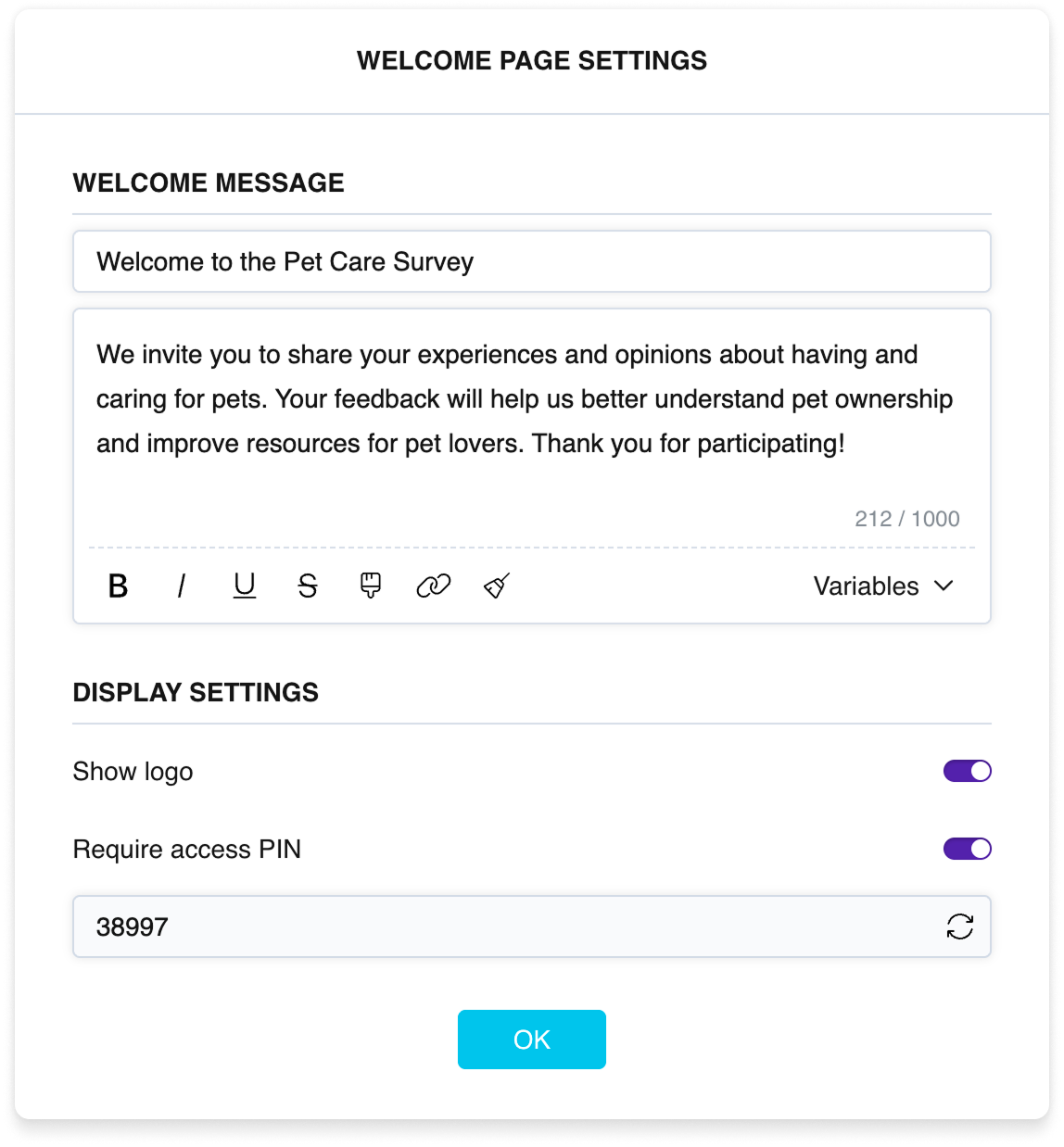
Welcome page settings
How the respondent sees the welcome page
The respondent sees the logo, survey cover, title, text, and a Start button. If a PIN code is enabled, a code input field appears before the button — the Start button becomes active only after the correct code is entered.
The welcome page can be disabled in the survey settings — in that case the respondent goes straight to the first question.
Final page
The final page is the screen the respondent sees after answering the last question. The main final page is always one and is fixed at the bottom of the builder.
Final page settings
- Title and text — a closing message or thank-you note with formatting and variable support.
- Logo — display of the survey logo.
- Social media buttons — links to your social media profiles. You can fill them in here or in advance in the Default Settings section (profile menu → Default Settings) — in that case they will be applied automatically.
- Link to another survey — a clickable link to another survey from your workspace. This is not an automatic redirect but an invitation for the respondent to follow the link.
- Do not record responses — if enabled, the respondent's data is not saved. Useful for test runs, response screening, or filtering through branching logic.
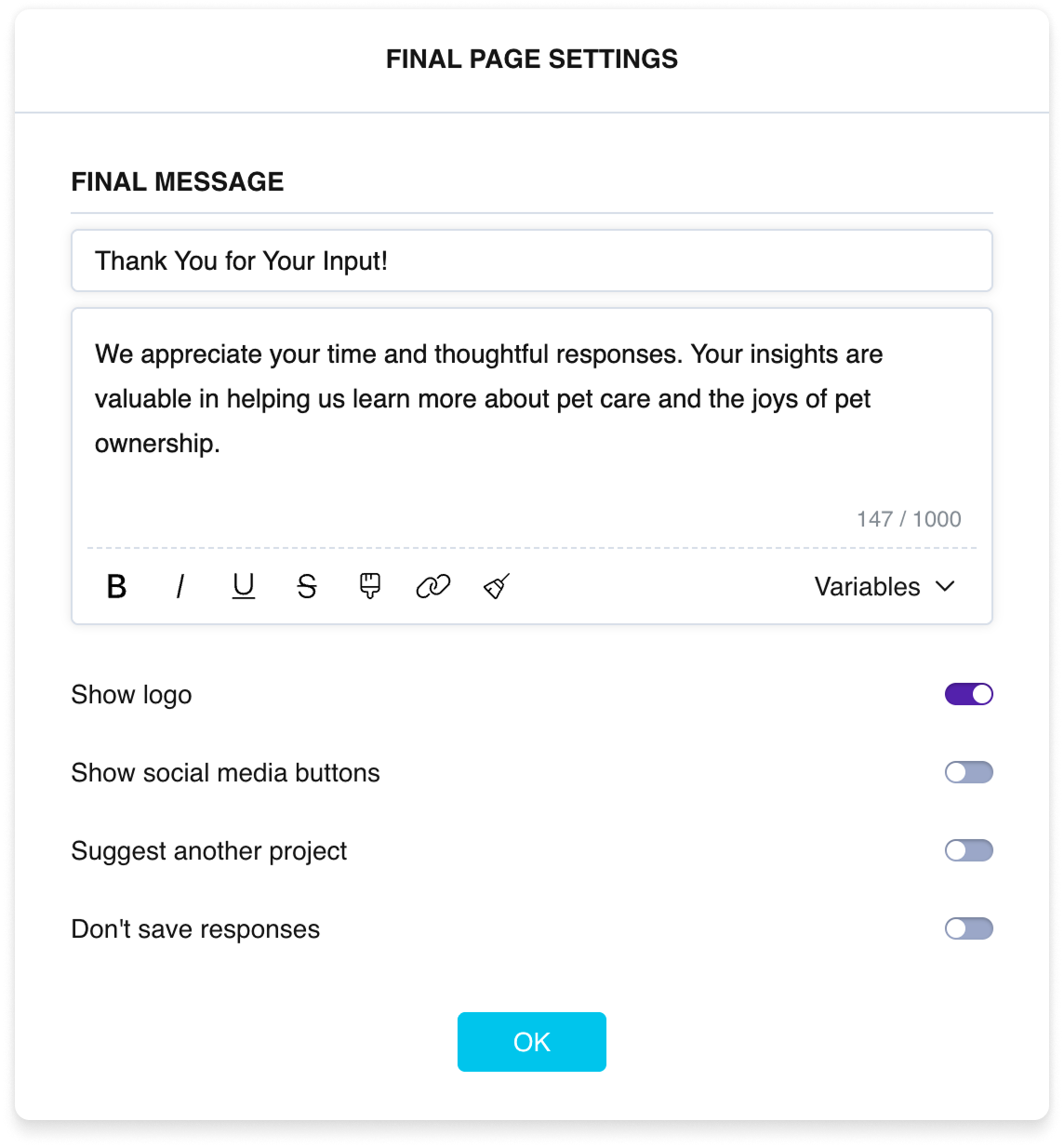
Final page settings
How the respondent sees the final page
The respondent sees the logo, title, thank-you text, social media icons (if enabled), and a link to another survey (if configured).
Text formatting
Welcome and final pages support rich text formatting. Available tools in the formatting panel:
- Bold, italics, underline, strikethrough.
- Color highlighting — 6 colors: yellow, peach, pink, green, blue, gray.
- Links — hyperlink insertion.
- Variables — insertion of system and user variables. The variable value is substituted when the respondent takes the survey.
- Clear formatting — removes all formatting from the selected text.
Rich formatting is available only on the welcome page, finish pages, and in the Note question type. In question titles and answer options, only variable insertion is available.



