Employee surveys for HR: engagement, eNPS and pulse

Pollsar is an online employee survey tool. Find out how engaged your team is, whether people would recommend you as an employer and why they leave. The AI assistant builds you a survey for the task at hand and prepares a report for leadership, while Pollsar calculates your eNPS and the summary for every question on its own.
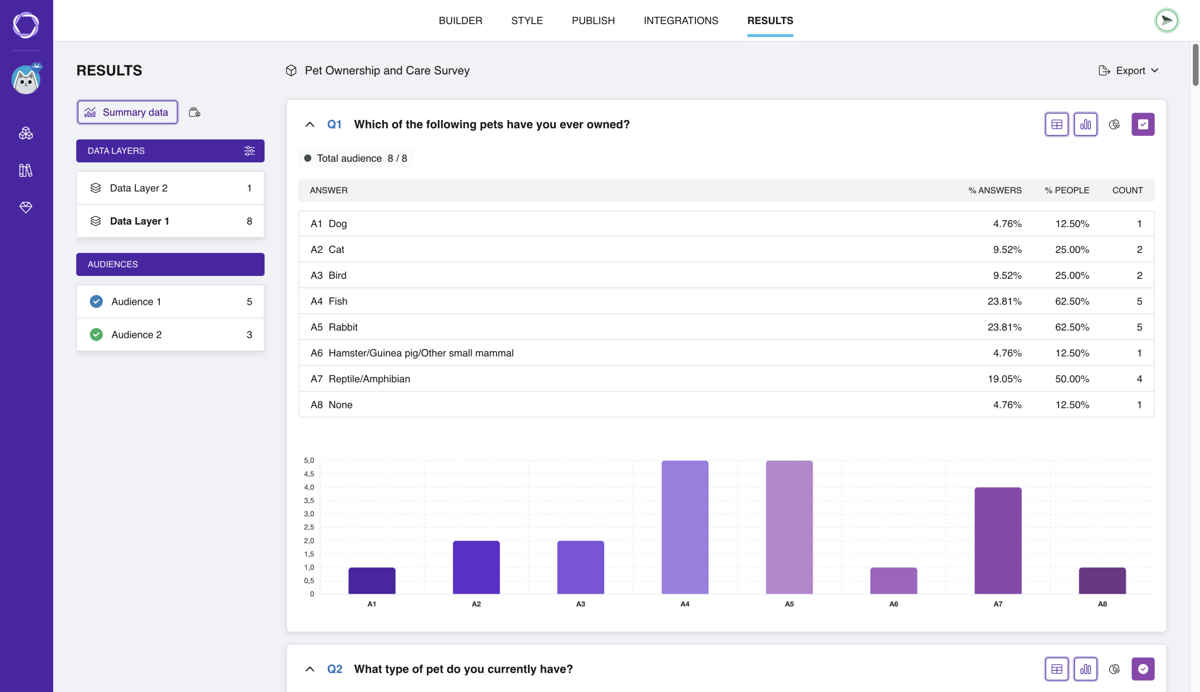
Survey results in Pollsar: a table of response shares and a bar chart, with layers and audiences on the left

HR surveys from onboarding to exit

Quarterly engagement survey

An employee survey shows how much the team shares the company's goals, what drags engagement down and whether ideas are heard. A ready-made employee engagement survey asks exactly that, and Pollsar averages the scores.

eNPS survey

The question “How likely are you to recommend us as a place to work?” on a 0–10 scale. Pollsar calculates eNPS and the shares of promoters, passives and detractors, and an open question right after it explains what's behind the score.

Employee satisfaction survey

Employees rate pay, working conditions, recognition and growth on a scale, and Pollsar averages each item, so the weakest one stands out. A ready-made employee satisfaction survey also asks what keeps people motivated.

Monthly pulse survey

Every month, ask the same short questions about mood, workload and what got in the way, then compare one month with the next to spot a trend early. After crunch periods, check in with a separate employee burnout survey.

New hire onboarding survey

Check in with new hires after week one, month one and at the 90-day mark, while problems are still easy to fix. A ready-made onboarding survey covers peer support, access to tools and software, and readiness for the job.

Exit survey

Departing employees pick a reason from a list or write their own, and anyone who points to pay or their manager gets a follow-up question. The completed exit interview form lands in your inbox right after it's submitted.

Training evaluation, before and after

Before training, ask which skills to teach; a month later, whether people apply what they learned. For that second check, use the ready-made training evaluation form. The teachers and educators page covers surveys for course participants.

Post-training quiz

Online employee testing: points for correct answers and a final page based on the score, like “Pass” or “Retake the module.” The AI assistant prepares questions on the training topic, and you mark which answers are correct.

Upward feedback for managers

The team rates on a scale how well their boss leads, supports people and lets them know how they're doing. Pollsar averages the score for each question, so the weak spot shows right away. You'll find the manager survey questions for employees in a ready-made template.

AI for HR: from questions to report

Describe the task in plain words, like “pulse survey for the warehouse: workload, shifts, shift lead,” and the AI assistant builds you a complete questionnaire with a title, questions and answer options.

Illustration: a field for describing the survey and a button to send it to the AI assistant

Before launch, the assistant checks the survey: it finds leading and double-barreled questions like “Are you happy with your pay and schedule?” and suggests splitting them in two.
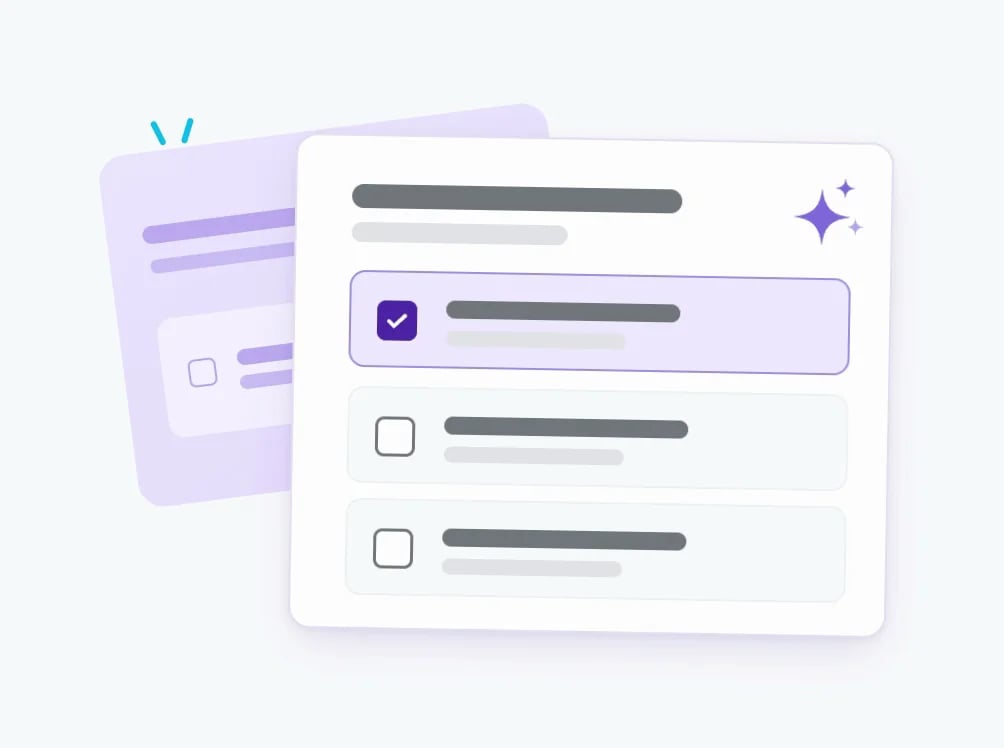
Illustration: a finished question with answer options, marked with an AI sparkle

Pollsar calculates eNPS, average scores and response shares, and shows every individual response. The AI assistant puts together a report for leadership and names the lowest-scoring items, and you can export the tables to CSV and XLSX.
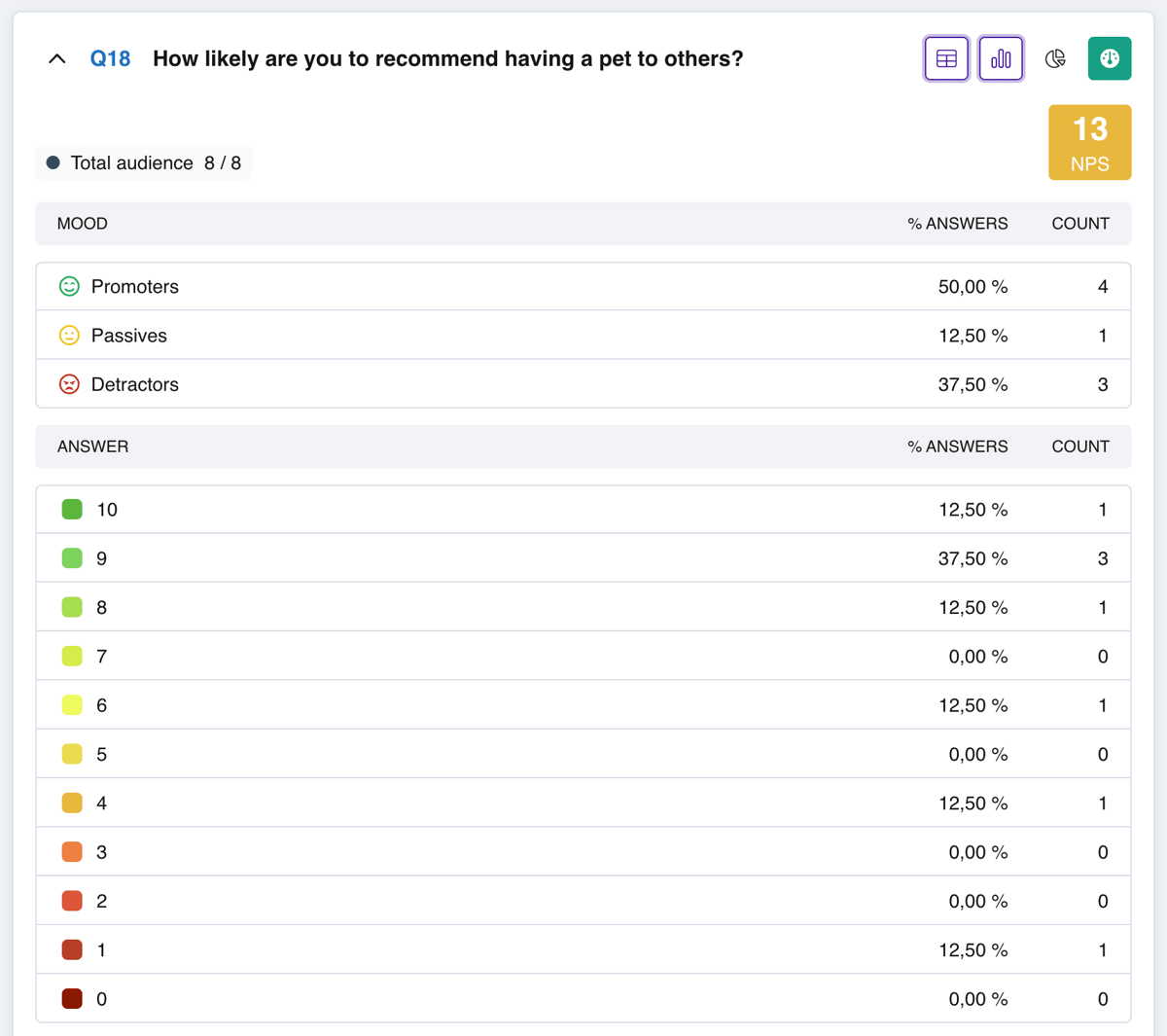
Pollsar NPS summary: the score, shares of promoters, passives and detractors, and ratings from 0 to 10

How to run an employee survey

1 Pick a template or describe the task Describe the task to the AI assistant and it builds the survey for you, or start from a ready-made HR template, like a company culture survey on values and team atmosphere.
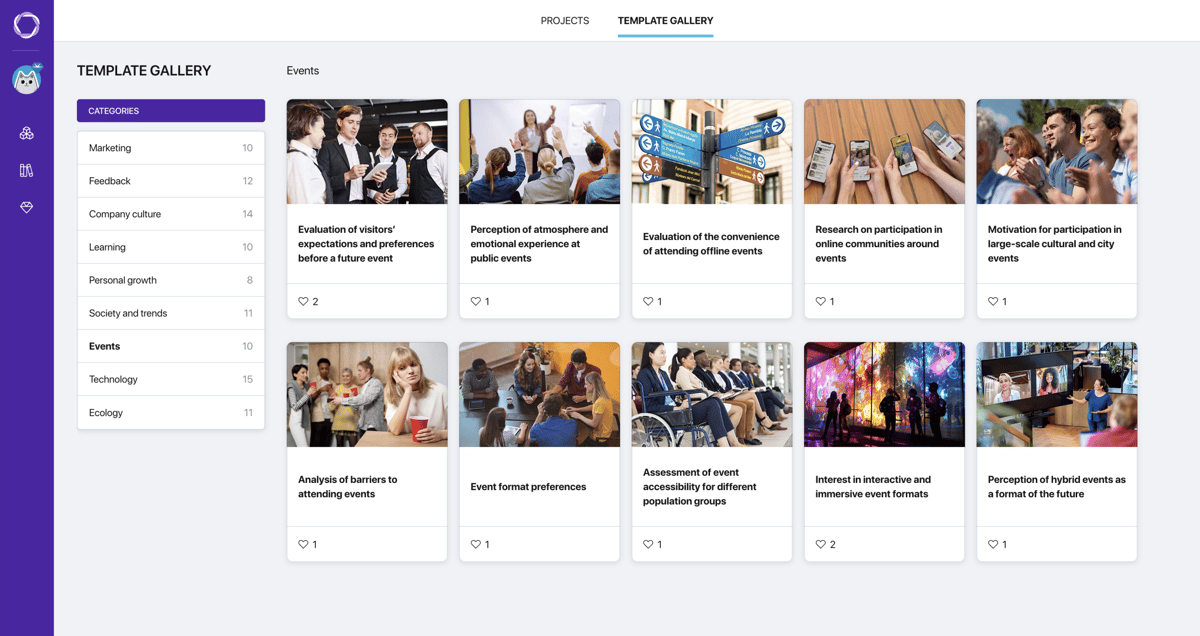
Pollsar template gallery: categories on the left, survey cards with cover images
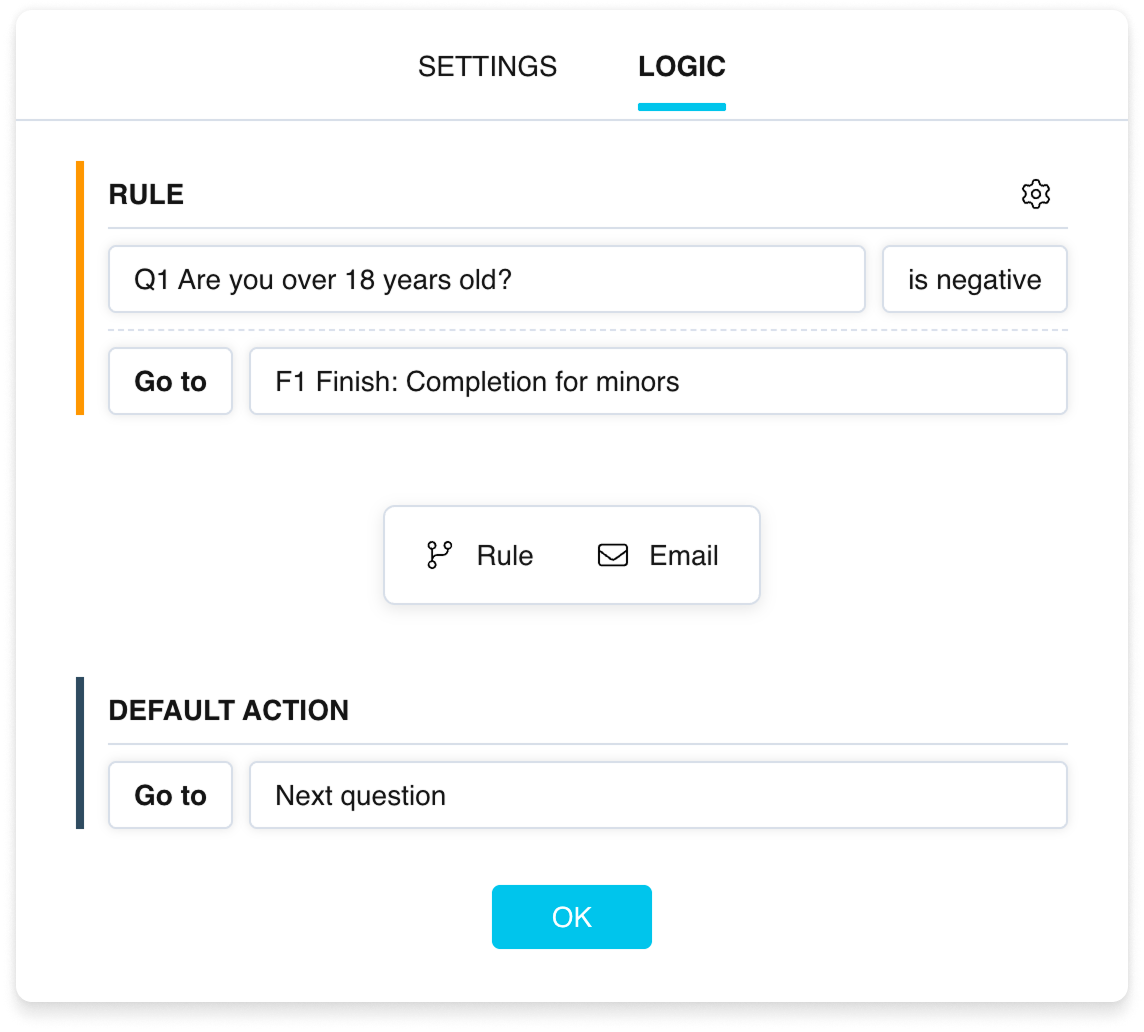
2 Add your departments and shifts Employees mark where they work, branching shows each of them only their own questions, and anyone who's unhappy also gets a follow-up asking why.
Pollsar logic rule: a negative answer leads to a separate final page
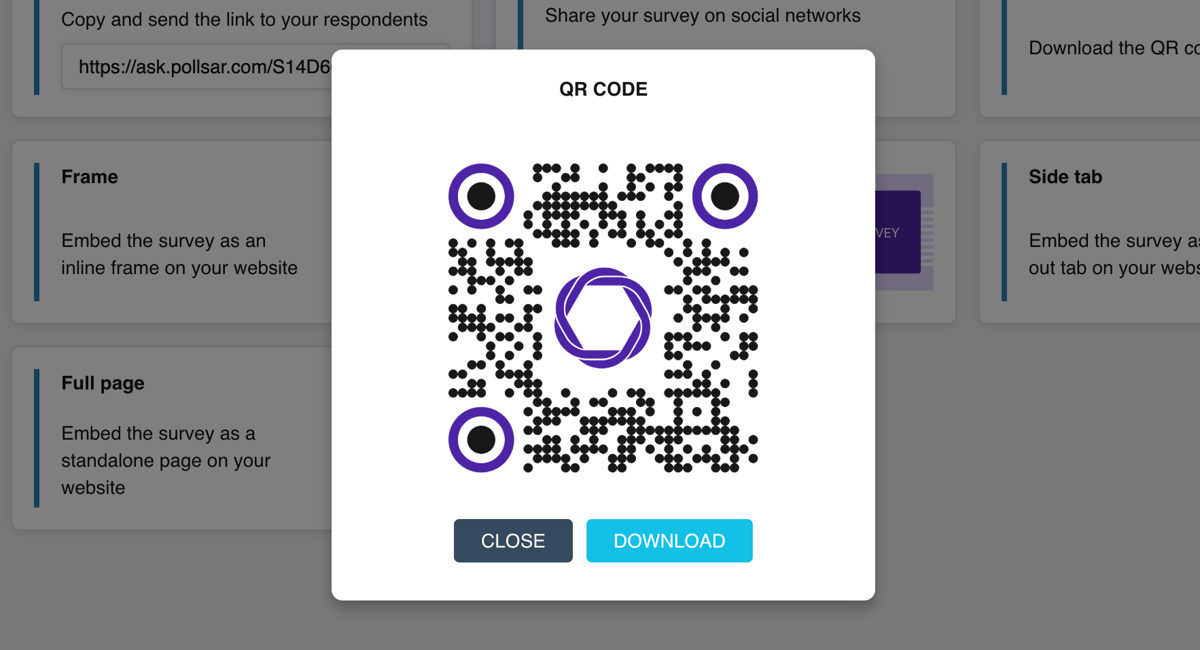
3 Send a link or QR code Post the link in Slack, Microsoft Teams, WhatsApp or Telegram, and print the QR code for the bulletin board by the warehouse entrance or in the break room.
Pollsar window with a branded survey QR code and a download button
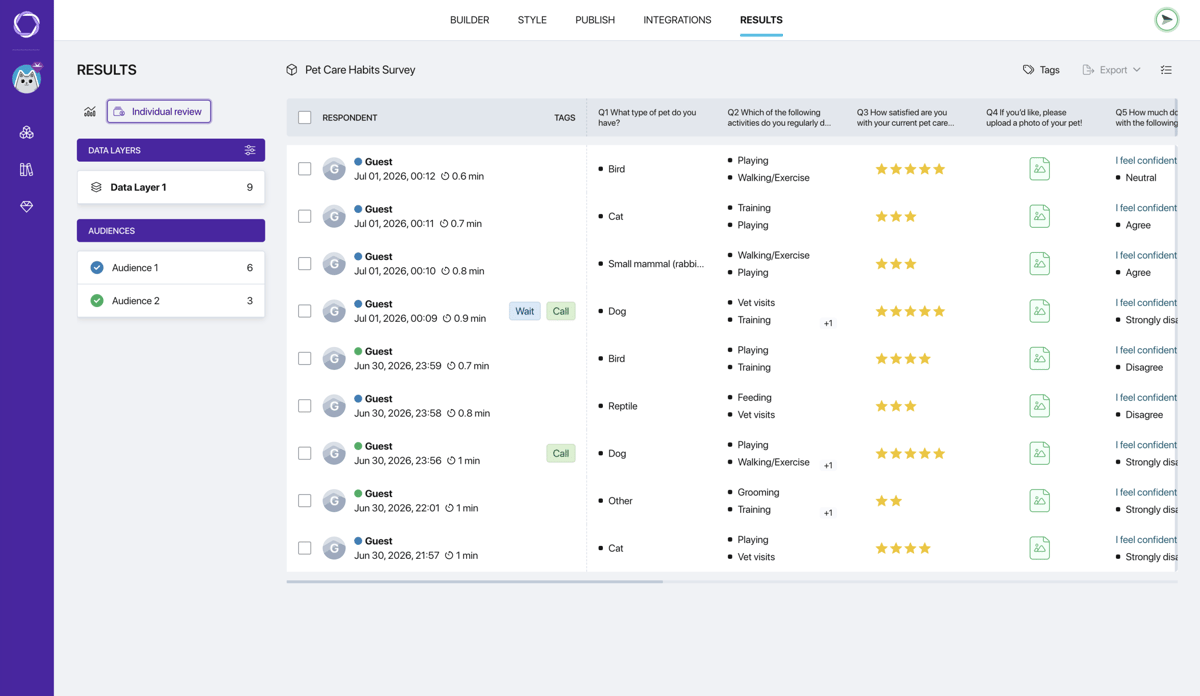
4 See the results Pollsar turns responses into tables and charts and shows each one separately. New responses land in the summary right away, while the survey is still open.
Pollsar responses table: one row per response, with star ratings
Pollsar template gallery: categories on the left, survey cards with cover images

Ready-made employee surveys

Four colleagues at an office desk discuss work around an open laptop

Employee engagement survey

Whether people share the company's goals, feel proud of it and feel heard. Run it quarterly.

Open template

A smiling woman works on a laptop while a colleague behind her talks on the phone

Employee satisfaction survey

Pay, working conditions, recognition, growth and motivation. Run it every six months.

Open template

A man in a suit leaves the office carrying a box of personal items

Employee exit survey

Why they're leaving, team atmosphere and how the exit went. For exit interviews.

Open template

A smiling young woman in glasses stands in an office holding a box and a plant

Employee onboarding survey

Peer support, access to tools and readiness for the job. After the first month.

Open template

Three smiling colleagues in business attire, one with a tablet, another with a coffee cup

Upward feedback survey

Management style, support and feedback from the manager, through the team's eyes. Once a year.

Open template

A young woman in a green shirt writes in a notebook at a desk with a yellow mug

Training evaluation form

How often people apply the training, what blocks it and what would help. A month after the course.

Open template

A hand with a pen over printouts with charts and pink sticky notes

Training needs survey

Priority skills, training format and difficulty. Before planning the year's training.

Open template

A tired woman holds her head in her hands over charts and crumpled paper

Employee burnout survey

Stress levels, overwork, sources of pressure and what helps people recover. Run it after crunch time.

Open template

A calendar with the number 14 circled in red and the word Payday, a marker beside it

Compensation and benefits survey

Pay, bonuses, which perks matter most and whether pay feels competitive. Once a year.

Open template

Several people's hands joining four colorful puzzle pieces

Company culture survey

Whether people share the values, what the team atmosphere is like and how easy it is to speak up.

Open template

Why it pays to run employee surveys in Pollsar

You launch a survey the day you sign up

No demo, no calls with a sales rep and no HR platform to roll out. Start free with no time limit and no credit card required, and the price doesn't grow with headcount: you pay per account, not per employee.

You skip counting answers by hand

Your eNPS, average scores and the breakdown for every question appear in the summary while employees are still responding. Scales, smileys and open questions fit in one survey instead of a chat poll, and tables export to CSV and XLSX.

You hear everyone, not just the office

Retail staff, warehouse workers and drivers open the survey on their phone from a QR code on the bulletin board, no work email needed. With a PIN, outsiders can't take it, and your logo in the header shows it's from the company.

You learn which team has a problem

Up to five links and QR codes per survey, one for each shift, office or branch, with separate stats for each. Colleagues and managers get access to the results right in Pollsar, with no files to forward.

What HR teams ask about surveys

No. The only limit tied to company size is the number of completed responses per month on the paid plans, 2,000 or 10,000, and you can run as many surveys as you like. For scale, a monthly pulse survey at a 1,000-person company comes to no more than 1,000 responses a month. Every price is listed on the pricing page.
Yes. The Free plan includes templates, the AI assistant, scales, smileys and open questions, a link and QR code, a summary by question and every individual response: unlimited surveys, one active at a time, with up to 10 questions each. Pro adds the eNPS question with the score, branching and follow-up questions, an email with each response as soon as it's submitted, Slack or Telegram notifications, scored quizzes, a PIN, your logo, CSV and XLSX export and two team seats. Expert adds links and stats by department, pulse survey waves, hiding Pollsar branding and five team seats. Prices and the full feature list are in the plan comparison.
Yes. Pollsar's HR templates are available on every plan. Each has fewer than 10 questions, so a whole template fits into a free survey: copy it, add your departments and share the link. The rule that shows a follow-up question only to unhappy respondents works on a paid plan.
Subtract the percentage of detractors (0 to 6) from the percentage of promoters (9 and 10); passives, who give a 7 or 8, are left out of the subtraction. The score runs from −100 to +100, and it's worth comparing with your own previous round rather than with other companies' numbers: industries and working conditions differ. Ask “How likely are you to recommend us as a place to work?” in exactly the same words and at the same interval, say once a quarter, or the rounds won't be comparable. The NPS question with a ready-made score is available on a paid plan.
Start with a short survey of 7–10 rating-scale questions plus one open question, “What should we change first?” Then repeat it every quarter or every six months with the same wording: that's the only way to see whether engagement is rising or falling. After each round, share the results with the team along with one or two decisions you've made: when people see that the survey changes something, they answer more willingly next time. A template of employee engagement survey questions is ready to go.
Keep it short: 3–5 rating-scale questions that take a couple of minutes, plus one open question, “What should we improve next month?” Don't change the wording or the scale between months, leave the survey open for about a week, and look at the three-month trend rather than a single round: a one-off dip may just be a crunch period. On the top-tier plan each month is stored as a separate wave; on the other paid plans, you start each new round by duplicating the survey. Step-by-step instructions for opening a new wave are in the help center.
Yes. If you have many departments or need a breakdown by tenure and role, add the question “Which department do you work in?” at the start and sort the responses in the XLSX export on a paid plan. Don't split results into groups smaller than five people: in a small team every answer is recognizable, and people write more cautiously.
Yes. For a survey that fits the task on the first try, tell Pollsar's AI assistant three things: who you're asking, what you'll decide based on the results, and how many minutes people have. For example: “3-minute survey for the call center: workload and schedule, deciding whether to change shifts.” The assistant works on every plan, including the free one.
Yes, scored quizzes work on a paid plan. Decide in advance what score counts as a pass, say 8 out of 10, and set up the final pages around that threshold. A month later, ask the same questions again: the comparison shows whether the knowledge stuck after the training. Each employee's score and answers are visible in their response.

Find out what your team won't say

Once a month, ask everyone, from the warehouse to the office, about schedules, workload and how things are with their manager. Answering takes a couple of minutes, and the Pollsar summary shows right away what employees rate lowest at your company. Let a Pollsar survey flag the problem before someone puts in their two weeks' notice!


Line illustration: a surfer gliding along the crest of a wave