How to Create a Poll in Slack
Slack has no built-in /poll command. Its own quick option is an emoji poll: a message with answer options that people vote on with reactions. For more than that you can build a form in Workflow Builder on a paid plan or install a polling app from the Slack Marketplace, which is where /poll comes from. Slack’s help article on creating a poll in Slack covers the emoji method and points to the apps.
Say you are planning a team offsite. The 24 people on the team work in #product, #design and #eng, and three freelance illustrators help from outside the workspace. You need a day, a format and one topic everyone wants covered.
Which Slack poll fits your question
- Emoji poll for one quick, visible vote among people who can open the same channel. Everyone sees who reacted with what.
- Workflow Builder form when you need several questions and a CSV file of the answers. Paid Slack plans only.
- Polling app for anonymous voting or votes counted for you. Someone installs it, and some workspaces need an owner’s approval first.
- One web link when some voters cannot open the channel at all, or the question goes out in Slack and by email at once. People vote in the browser and every answer lands in one summary.
In the offsite example the first three cover the staff. The illustrators are the reason to read the section on sharing one link.
How to create a poll in Slack with emoji reactions
Slack calls this a quick and informal poll. Copy the message below into #product and change the days, the deadline and the time zone to yours.

:one: Tuesday
:two: Wednesday
:three: Thursday
:x: None of these work for me
- Paste the message into a new message in the channel.
- Set the options apart, if you like: select the answer lines and choose Block quote in the formatting toolbar.
- Send it, then add one reaction per option yourself, so people vote with one click instead of searching for the emoji.
- Record the totals at the deadline and post them in the thread.
- Subtract your helper reactions. If you added one reaction per option, every count starts at 1. If you’re only counting, Thursday showing 11 means 10 votes. If you’re voting too, subtract all your starter reactions and add your own choice back once.
- Look for double votes. Nothing stops one person from reacting to two options. Hover over a reaction, or tap and hold it, to see who added it, as the guide to emoji reactions explains. Your own starter reactions don’t count. Before the cutoff, ask any other voter who marked more than one option to leave just one.
- Ignore reactions after the cutoff. A message poll has no close button, so the totals you posted in the thread are the result.
- In the sidebar, open Agents & tools, then Workflows and Templates, choose Feedback report and select Set Up.
- Give the form a title and replace its questions with the day, the format and the topic. Preview Form shows what people will see.
- Edit the Send a message step: choose the channel and what the message shows.
- Click Finish up, name the workflow, add managers and set permissions, then click Publish and Copy Link to share the form.
- Open the app’s Marketplace page and read the permissions it asks for. OpenPoll, for one, asks to perform actions in channels and in your workspace.
- Install it, or request it. By default members install apps without approval, but an owner can turn on app approval and restrict apps, as managing app approval explains. If your workspace works that way, request the app before you plan to post the poll.
- Type the command in the channel, with the question and each option in straight double quotes, as in the first command below. The words limit 1 keep everyone to one choice, like Pick one in the emoji version.
- Make it anonymous if needed by adding the word anonymous after the command, as in the second command.
This is how to create a poll in Slack without installing anything, and it works on every plan. You need only the message box and the reactions everyone already uses. Block quote sits in the toolbar described in formatting your messages, and the steps follow the help article on an emoji poll in a message.
Counting the votes
Pick one asks what people prefer. When the real question is who is free, post this version instead and let everyone react to every day that works. Count each person once per day. Ask people to choose None of these only if no day works. If the None of these count or a tie comes out on top, offer new dates or ask the team which day suits them best.
:one: Tuesday
:two: Wednesday
:three: Thursday
:x: None of these
One poll for several channels
Keep one question per message, so each reaction maps to one choice, and post it once. To reach #design and #eng, hover over the message, click the three-dots icon, select Copy link and paste the link into the other channels. Slack expands the link into a preview there, and a reaction on the preview is not a vote on the original. Add a line above the link, such as Vote on the original message, not here: click the preview to open it. Everyone who can open #product then reacts in one place, and you count once. Slack describes the link in Forward messages in Slack. People who cannot open #product cannot vote this way; for them, share one link as described below.
A Workflow Builder form for several questions
Workflow Builder automates everyday tasks in Slack, and one of its steps is a form. It works on paid plans: full members can create workflows by default, and members and guests can use them, according to the guide to Workflow Builder.
By default this template posts each answer to the channel and mentions the person who sent it. You can change that message, but a form tied to Slack accounts is not anonymous, so tell people who will see their answers. The steps follow the help article on collecting information with a simple form.
To count the votes, a workflow manager opens Agents & tools, clicks Managed by you under Workflows, opens this workflow and chooses Download form responses from the three-dots menu. Slack sends a direct message with a link to the CSV file, as Download workflow form responses describes; if the option is missing, ask an owner or admin.
A polling app: the /poll command
Slack’s poll article suggests a polling app from the Slack Marketplace when emoji reactions are not enough. Take OpenPoll as an example: its Marketplace listing says it is free and open source, supports anonymous polls and can limit how many choices each person picks.
Other polling apps have their own commands: Simple Poll also answers to /poll, and Polly uses /polly. Check which one your workspace already has before you install a second. The OpenPoll command forms above come from the app’s usage notes on GitHub.
When voters are outside Slack: share one link
Every method above needs voters who can open the channel. Slack gives outsiders two ways in, and the first is a guest account. It gives limited access to the channels you choose, owners and admins send the invitation, and guests exist only on paid plans, as the page on workspace guests explains. A Slack Connect channel brings in another organization, and each organization needs a paid plan, according to the Slack Connect guide; Enterprise organizations can also invite free teams.
If the illustrators already share a channel with you, they vote there like everyone else. If not, three people and one vote rarely justify the setup. A web link does: people vote in the browser and every answer lands in one summary. Describe the three questions to Pollsar’s poll maker, and its AI assistant builds the poll: a single-choice question for the day, another for in person or online, and a text question for the topic. The link opens on ask.pollsar.com without a login, on a phone or a laptop.
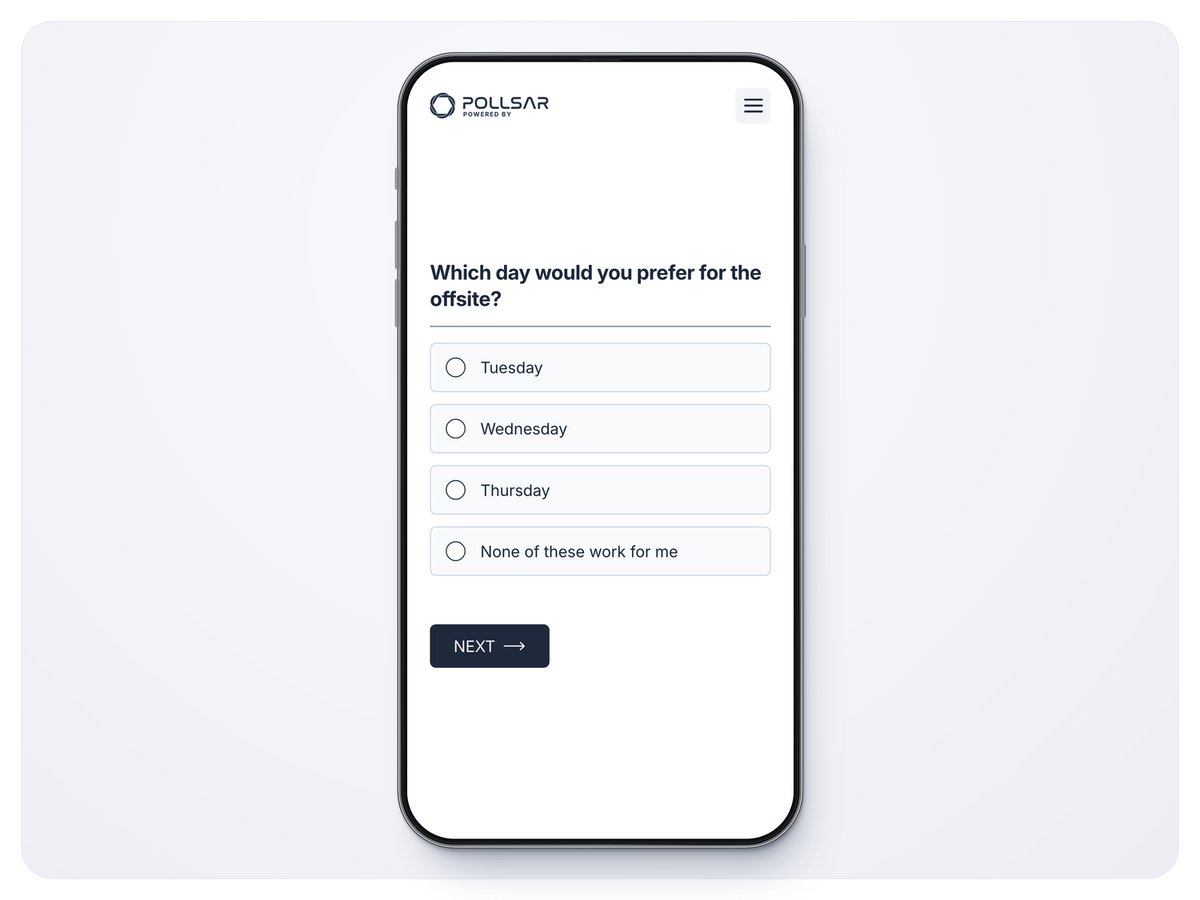
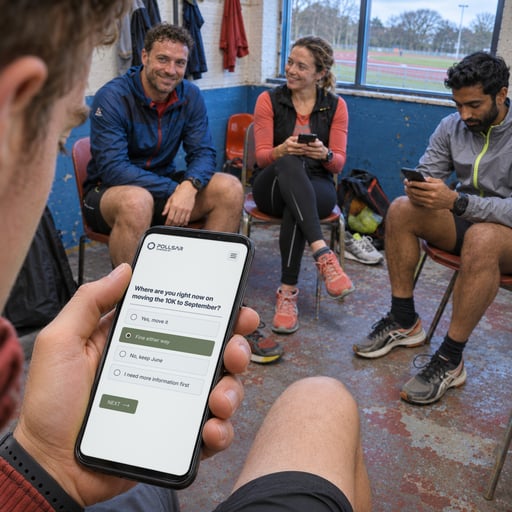
The day question on a freelancer’s phone
A day, a format and a topic make three questions, about as many as one vote can carry. Include a way out such as None of these work for me in each choice question, and keep the options from overlapping, as the guide to multiple choice survey questions shows. If the questions keep multiplying, the guide to poll vs survey shows where a poll ends.
Post the same link in #product, #design and #eng and email it to the illustrators, with a message like the one below. At the deadline, stop the voting with Close survey, read the final count, post the result in the original thread and email it to the illustrators.
Reading the result before you book
Whichever way people voted, the count needs one more look before you act on it. Say 22 of the 27 people vote by Friday. Thursday gets 10 votes, or 45%; Wednesday 7, or 32%; Tuesday 3, or 14%; and 2 people, 9%, can’t make any of these days. On format, 15 choose in person and 7 online.
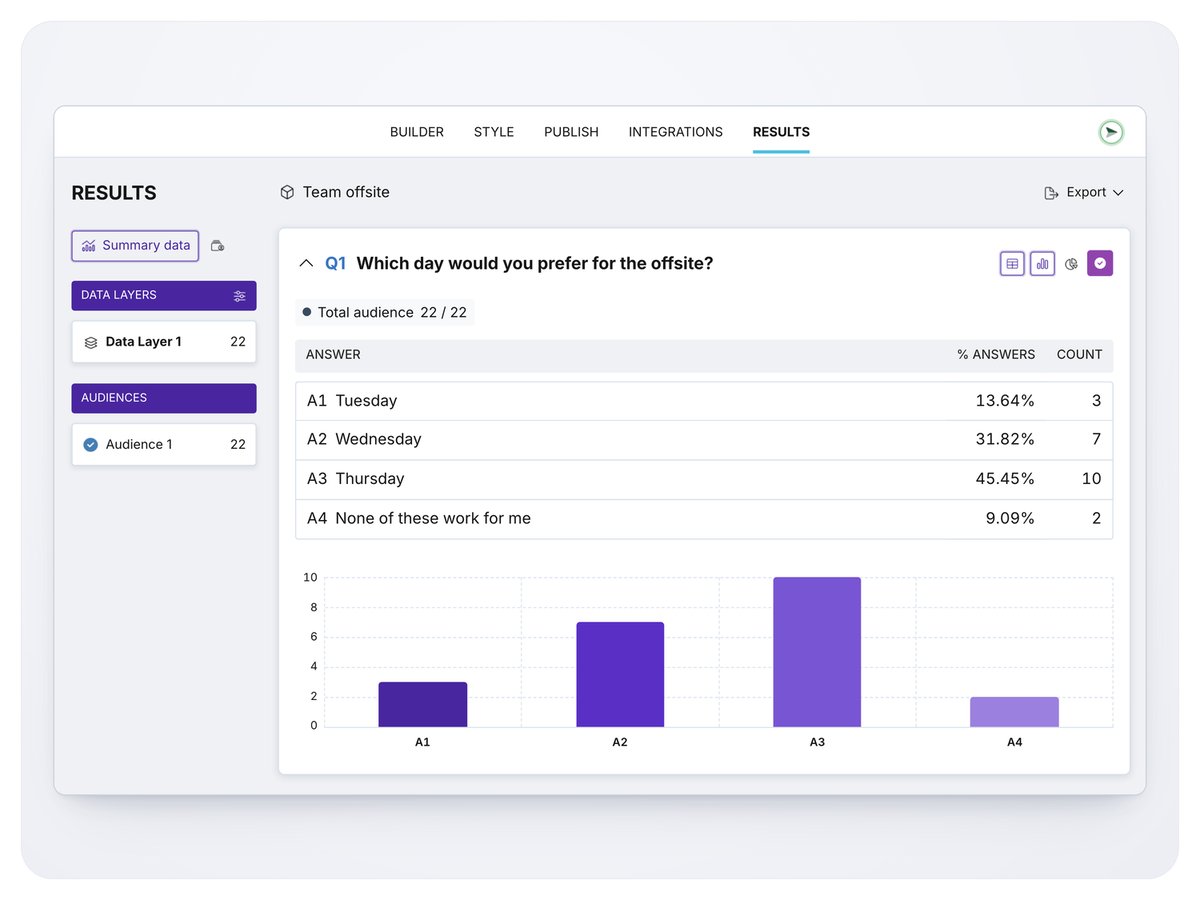
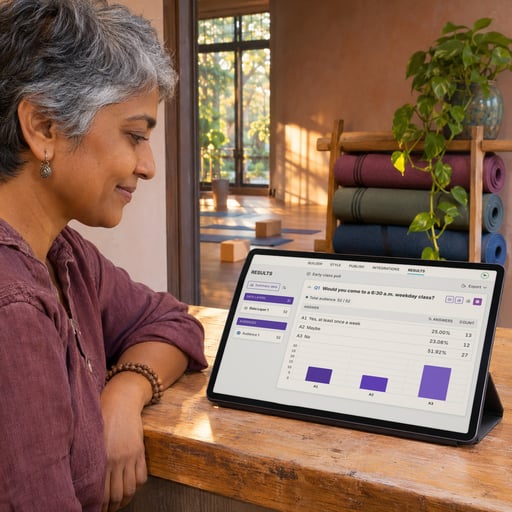
The offsite day question in Results: 22 answers
The image shows the day question as the web poll’s author sees it. In Results, the day and format questions show counts, percentages and a bar or donut chart, and the topic question gives a list of written suggestions. Voters see a thank-you page, not the totals, so the result reaches them when you post it.
Thursday leads with 10 of 22 votes, less than half. The question asked for a preference, so someone who picked Wednesday may still be free on Thursday, and the format count is not split by day. Post the result in the thread, ask anyone who can’t make Thursday to message you before you book, and read the suggested topics before you write the agenda.
Can you schedule a poll in Slack or make it recurring?
Yes to both. To send an emoji poll later, type the message, click the arrow beside the send button and choose a time; on mobile, tap and hold the send button. That sends it once. For a weekly vote on a paid plan, build a workflow that starts on a schedule and posts the link to your form. Name the week in each invitation: the downloaded file holds every week’s answers with the time each was submitted, so you can count one week at a time. Slack covers the first in Send and read messages and lists schedules among the triggers in its guide to building a workflow.