
Question groups and finish pages
In addition to regular question types, the Pollsar builder has two structural elements: Group (question group) and Finish page (alternative finish page). They are added through the same question type selection panel (the + button).
Question group (Group)
A group is a container that combines several questions. It is useful when you need to show the respondent a set of related questions together — for example, a block of demographic data or a series of questions on one topic.
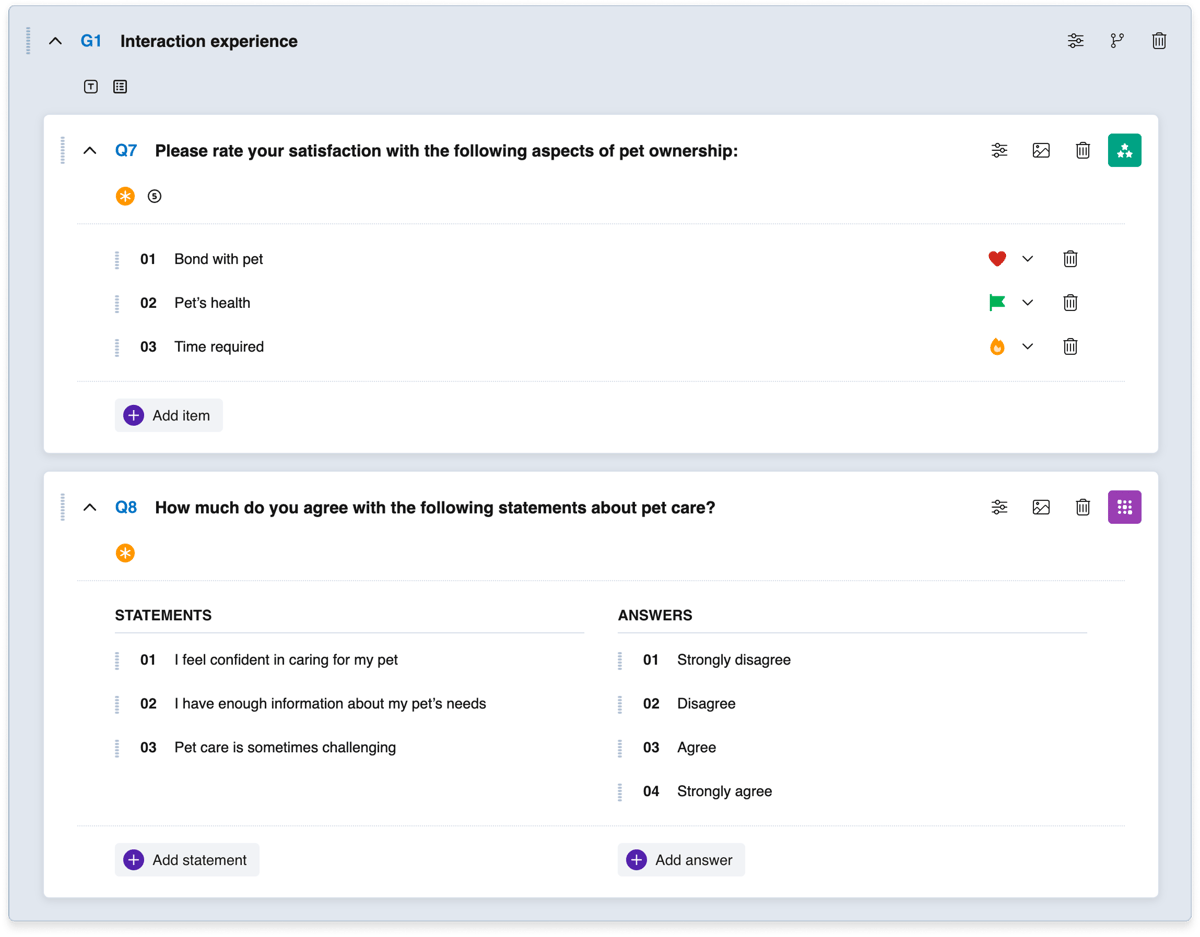
A question group in the builder
How it works
Questions are dragged into the group or added directly inside it. Question numbering remains sequential across the entire survey (Q1, Q2, Q3...), while the group itself gets a separate number (G1, G2...).
Group settings
- Show Title — if enabled, the respondent sees the group title above the questions. Enabled by default.
- One Page — if enabled, all questions in the group are displayed on a single page. The respondent answers all of them and clicks Next once. If disabled, each group question is shown on a separate page. Enabled by default.
Logic in groups
Questions inside a group do not have their own logic button — logical rules are configured at the group level and are triggered upon exiting the group. This means transitions and calculations are executed after the respondent answers all questions in the group.
Alternative finish pages (Finish page)
Alternative finish pages allow you to show different respondents different final screens — depending on their answers. The respondent is directed to a specific finish page through branching logic.
Alternative finish pages are added through the question type selection panel, numbered separately (F1, F2, F3...), and can be moved anywhere in the builder. Finish page settings are identical to the main Final page settings. For more details on final page settings, see the article "Welcome and final pages".
Usage example
You create a survey with a scoring system. Respondents who score high land on finish page F1 with congratulations. Respondents with a low score land on F2 with recommendations. Those who did not pass the qualifying questions land on F3 with a thank-you message.



