
Survey logic basics
Logic allows you to create adaptive surveys where the sequence of questions, calculations, and actions depend on the respondent's answers. Without logic, questions follow one after another in a fixed order. With logic, the survey becomes interactive.
Where logic is configured
Logic is configured for each question individually. Click the branching button (branching icon) to the right of the question in the builder — the Logic tab will open in the settings window.
Questions inside a group do not have a logic button — logic is configured at the group level and triggers upon exiting the group.
When logic triggers
Logical rules are executed when the respondent answers a question and clicks the Next button. The system processes all operations from top to bottom and performs the corresponding actions.
Logic scenario structure
Each question can contain two types of elements:
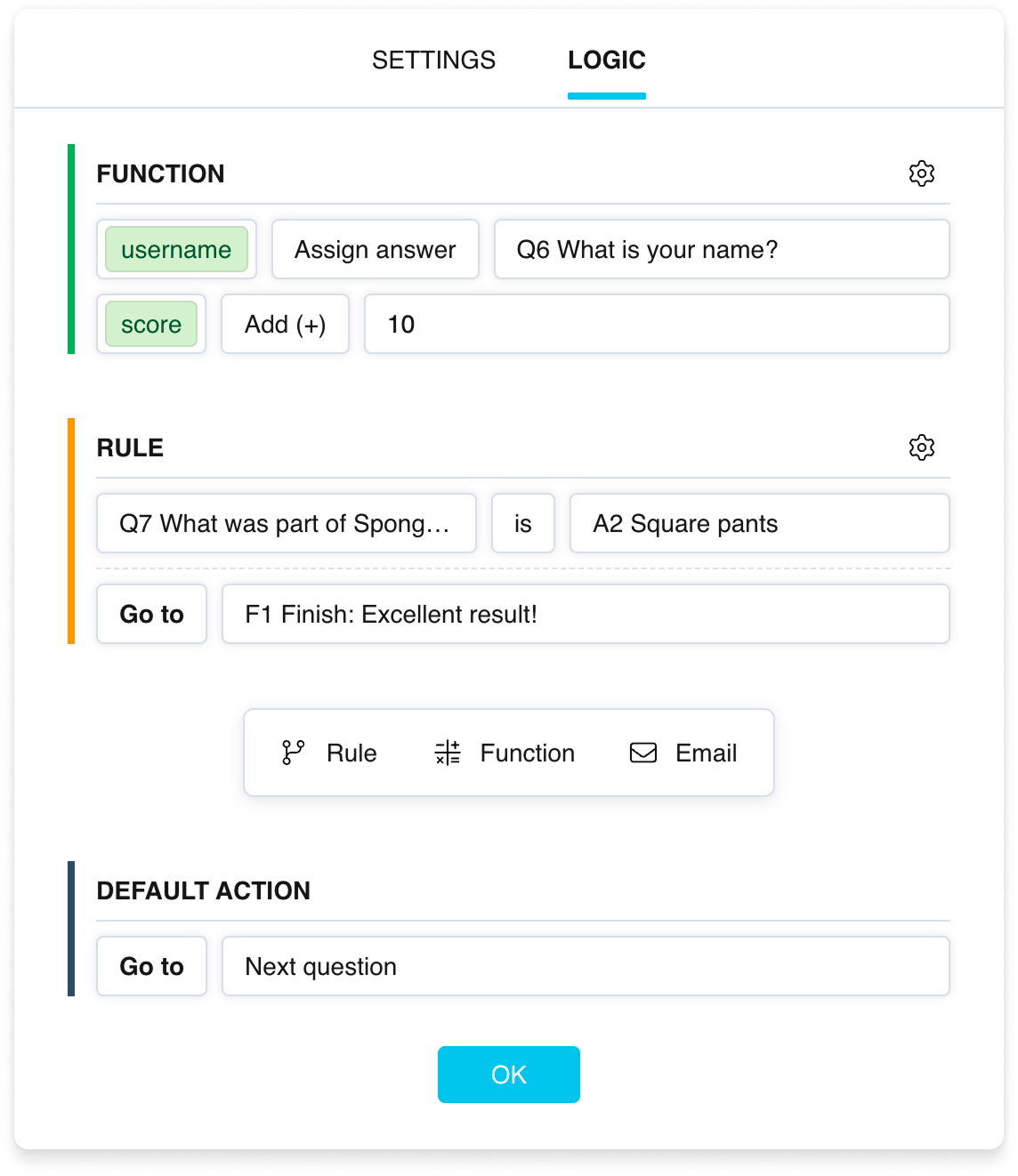
The Logic tab in question settings
Logic operations
Optional blocks added as needed. Three types:
- “Rule” — checks conditions. If they are met, the specified action is performed (a transition, ending the survey, or a calculation). See more in the article about the “Rule” block.
- “Function” — unconditional calculations with variables. They always run, without checking any conditions. See more in the article about the “Function” block.
- “Email” — sends an email message. Runs unconditionally at the moment the logic is processed. See more in the article about the “Email” block.
Each question can contain multiple operations of any type. Operations are executed sequentially from top to bottom, and their order can be changed.
Default action
A mandatory element that is always present. The default action determines what happens if none of the logic operations resulted in a transition or survey completion:
- Go to the next question — standard behavior (default).
- Go to a specific element — any question, group, or Finish page (can direct both forward and backward).
- End project — the response is completed and the respondent goes to the Final page.
Scope
In logic conditions you can check:
- The answer to the current question.
- Answers to any previous questions.
- Values of user and system variables.
This allows building complex scenarios that take into account the respondent's entire answer history.
AND and OR logic
Multiple conditions within a single “Rule” block are combined with AND — all conditions must be true simultaneously.
To implement OR logic (at least one condition is true), create multiple separate “Rule” blocks with the same action.
Simple scenario example
Question Q1: "Are you over 18?" (Yes/No).
- “Rule”: if the answer is "No" → go to Finish page F1 with the message "Thank you, this survey is intended for adults".
- Default action: go to the next question (Q2).
As a result, underage respondents end the survey early, while the rest continue.
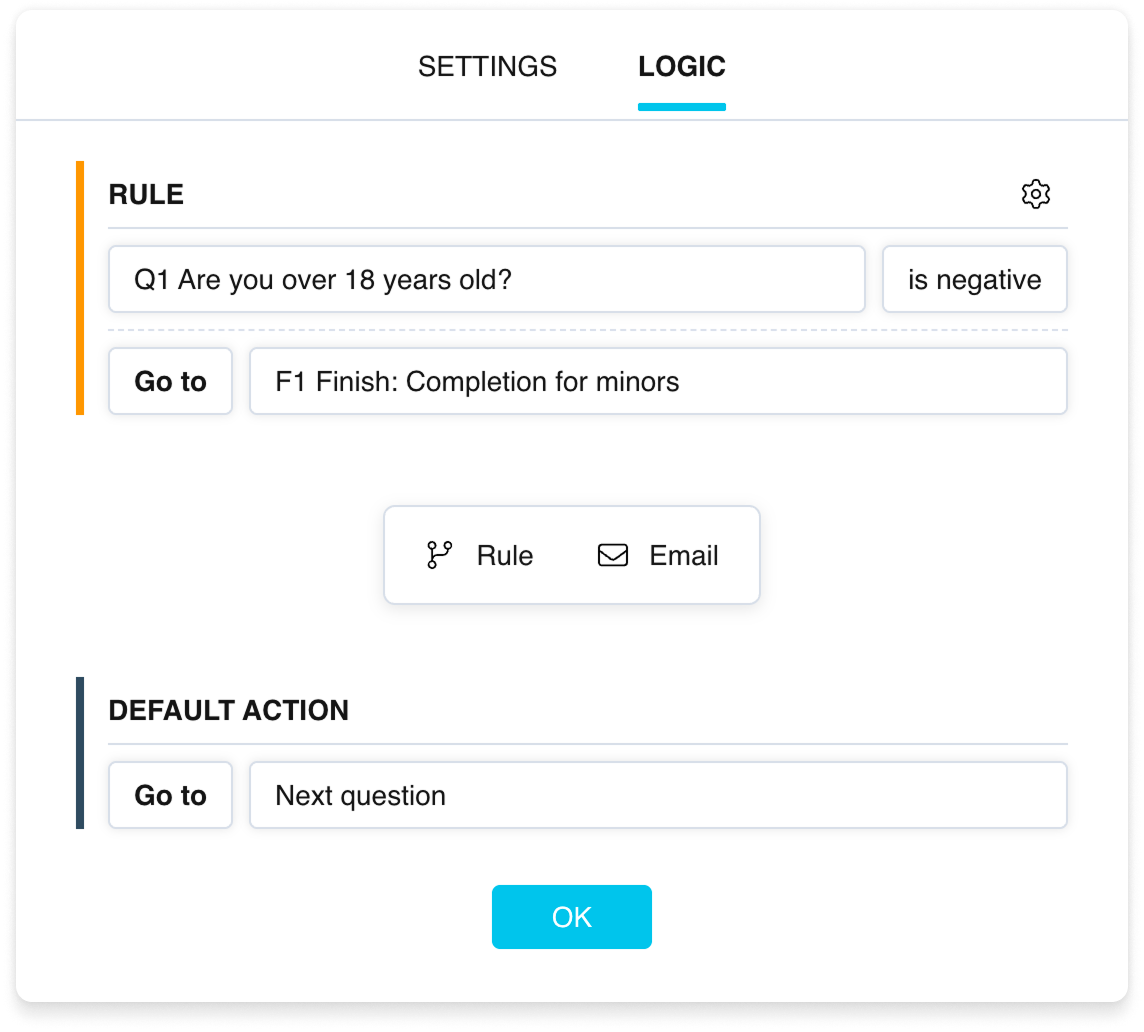
An example logic scenario



