Knowledge Base

Email notifications
On the Notices tab in your profile settings you control which email messages you receive from Pollsar. All notifications are enabled and disabled with individual toggles.
To open this tab, click your avatar or nickname in the sidebar → Profile Settings → Notices tab.
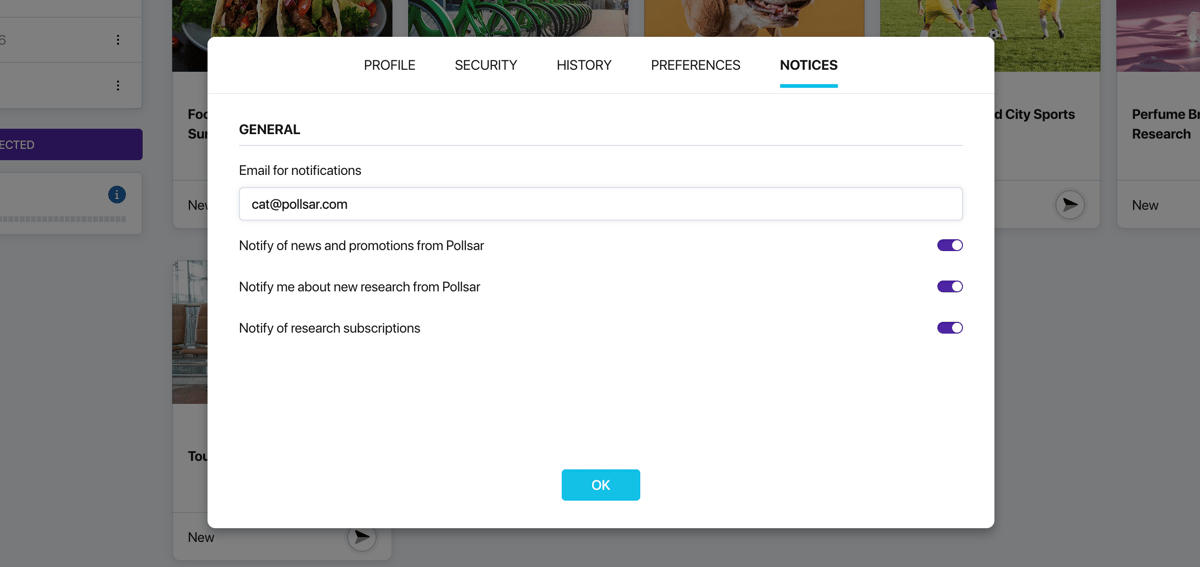
Notices tab
Email for notifications
At the top of the tab you will see the email address used for notifications — by default this is the address you provided during registration. You can replace it with a different one if you prefer to receive notifications on a separate mailbox.
Available notifications
Notifications are divided into three groups:
- General — platform news, promotions, and Pollsar research publications.
- To the Authors — events related to your surveys: launch, completion, and new responses received. Useful for tracking activity without constantly checking your dashboard.
- To the Respondents — notifications for those who take surveys. You can receive alerts about new available surveys, as well as find out when friends you have invited have registered on Pollsar and become available as respondents.
Some notifications are enabled by default. You can turn off the ones you do not need or enable additional ones at any time.