
The “Rule” block: conditions and actions
“Rule” is a logic block that checks one or more conditions and performs an action if all conditions are true. In the builder interface, a “Rule” block is marked with an orange vertical line on the left.
“Rule” block structure
Each “Rule” block consists of two parts:
- Conditions — one or more rows, each checking an answer to a question or a variable value. If there are multiple conditions, they are combined with AND — all must be true simultaneously.
- Action — executed when all conditions are true.
To implement OR logic, create multiple separate “Rule” blocks with the same action.
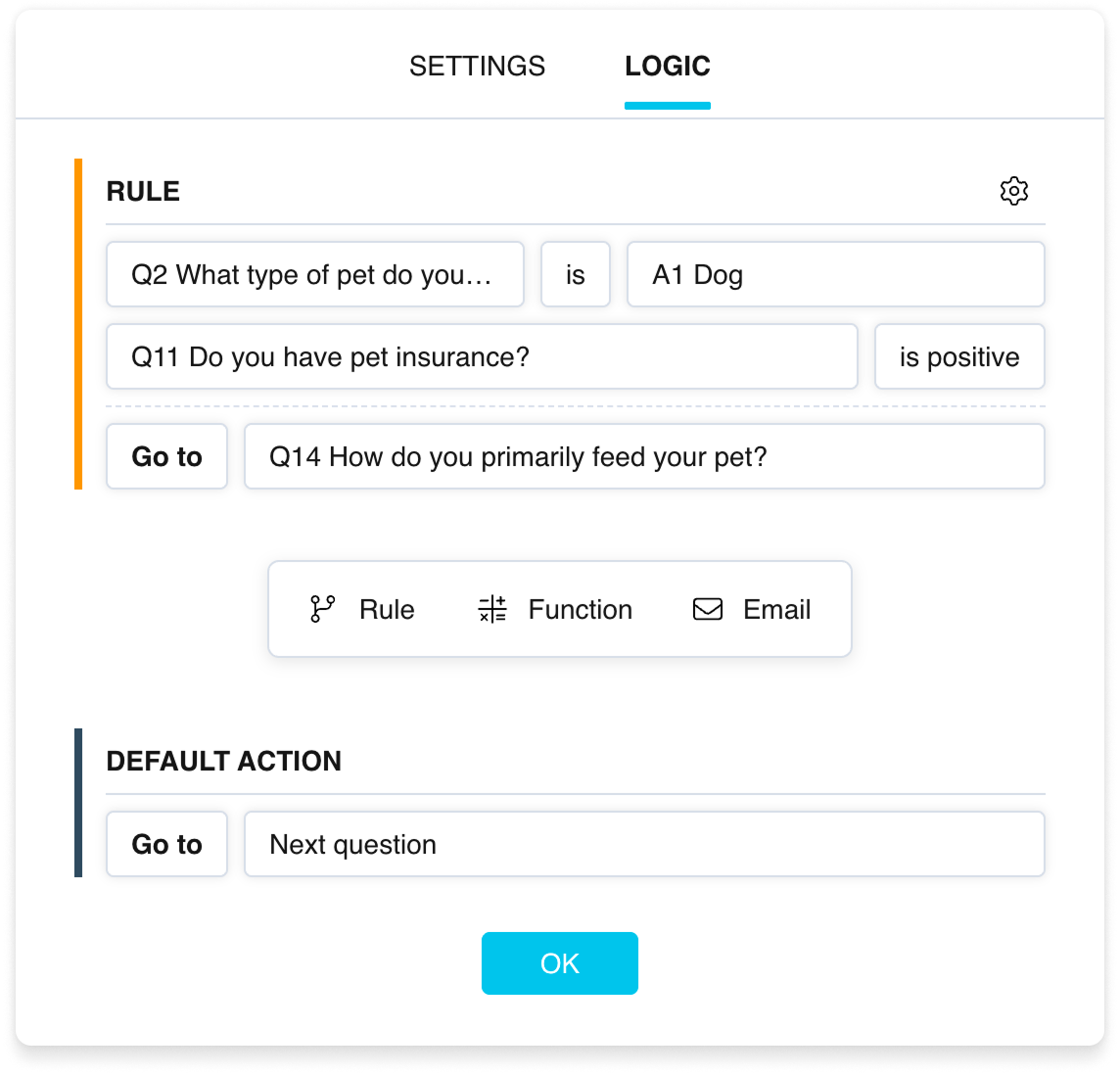
A “Rule” block in the logic settings
What a condition can compare
In a condition row, you can compare:
- the answer to a question — with a specific value or option;
- a variable — with a specified value;
- a variable — with another variable.
Operators by question type
The set of fields and operators in a condition depends on the type of question it references.
| Question type | Operators | What is specified |
|---|---|---|
| Yes/No | is positive, is negative | — |
| Single choice / Multiple choice | is, is not | answer option |
| Single matrix / Multiple matrix | is, is not | statement and answer option |
| NPS® / Rating / Slider / Number | =, ≠, >, <, ≥, ≤ | numeric value |
| Multiple rating | =, ≠, >, <, ≥, ≤ | position and value |
| Emotions | is, is not | emotion value |
| Ranking | place N | ranking position |
| Text / Email / Phone | is, is not, starts with, ends with, contains, does not contain | text value |
| Date | is, is not, before, after, on or before, on or after | date (via calendar) |
| Location | is, is not | address level: country, region, city |
| File upload | is uploaded, is not uploaded | upload position |
Operators by variable
In addition to question answers, a condition can check variable values — comparing them with a specified value or with another variable.
| Variable | Operators | What is specified |
|---|---|---|
| User variables | =, ≠, >, <, ≥, ≤ | a value or another variable |
| ps_audience | is, is not | an audience from the list |
| ps_answer_last | =, ≠ | a value entered manually (string or number) |
| ps_duration_poll / ps_duration_set | =, ≠, >, <, ≥, ≤ | a value in minutes |
Actions
When conditions are met, three action options are available:
- Go to — transition to a specific element: next question, any other question, group, or Finish page. Can direct both forward and backward.
- End project — ends the survey. The respondent is taken to the Final page.
- Function — conditional calculation with variables. Works the same as a Function block but only executes when conditions are true.
Managing “Rule” blocks
The context menu (gear icon) provides:
- Add condition — add another condition (comparison) row to the block.
- Move up / Move down — change the block's execution order among the other logic operations.
- Delete rule — delete the entire block.
To delete an individual condition, click the first dropdown in its row and select Delete condition at the very bottom.
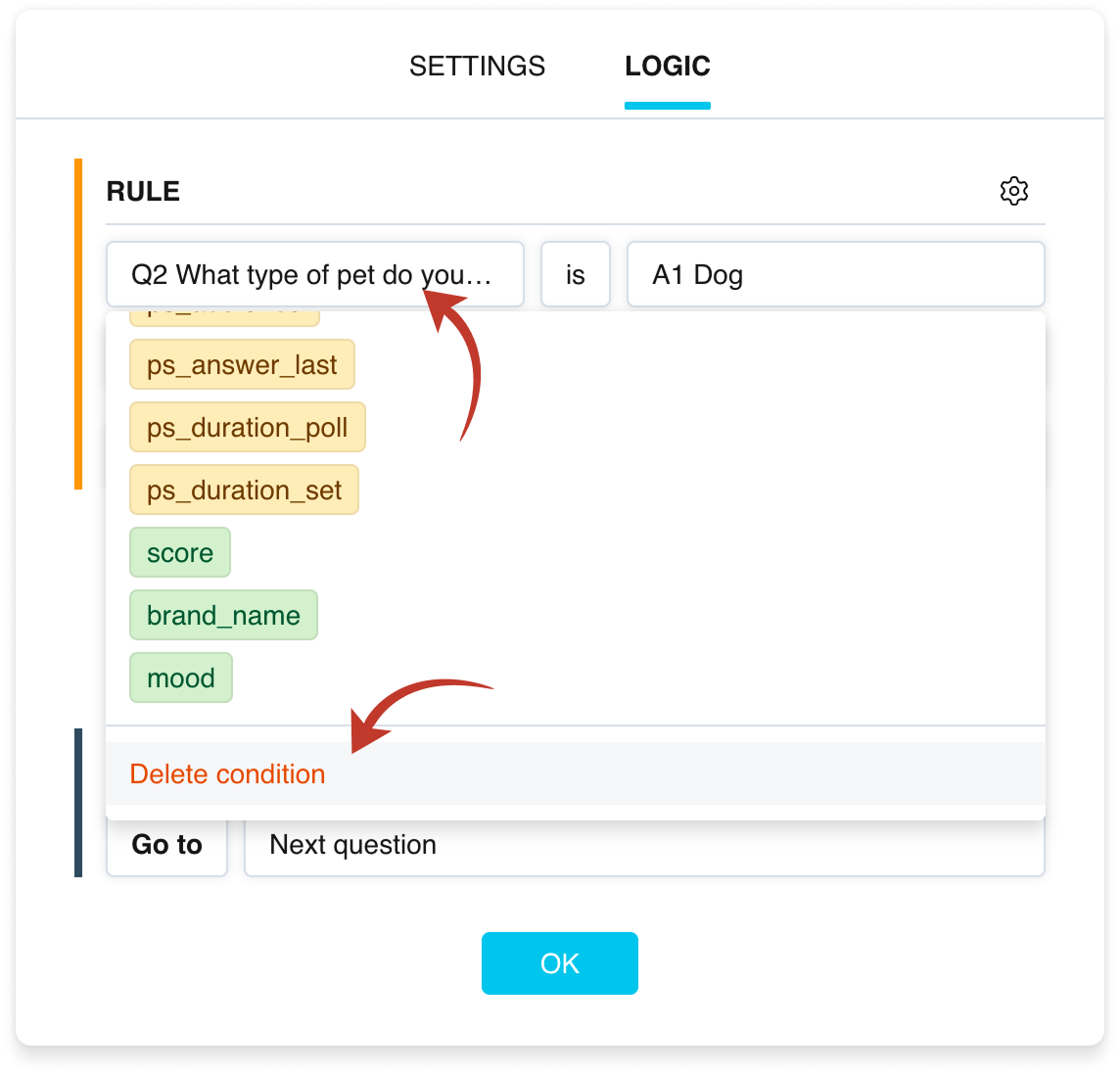
Deleting a single condition in a “Rule” block



