Template gallery
The template gallery is a collection of ready-made surveys that you can use as a starting point for your projects. Instead of building a survey from scratch, you pick a suitable template, copy it to your projects, and customize it for your needs.
The gallery is available on the Template Gallery tab in the top navigation of the My Projects page.
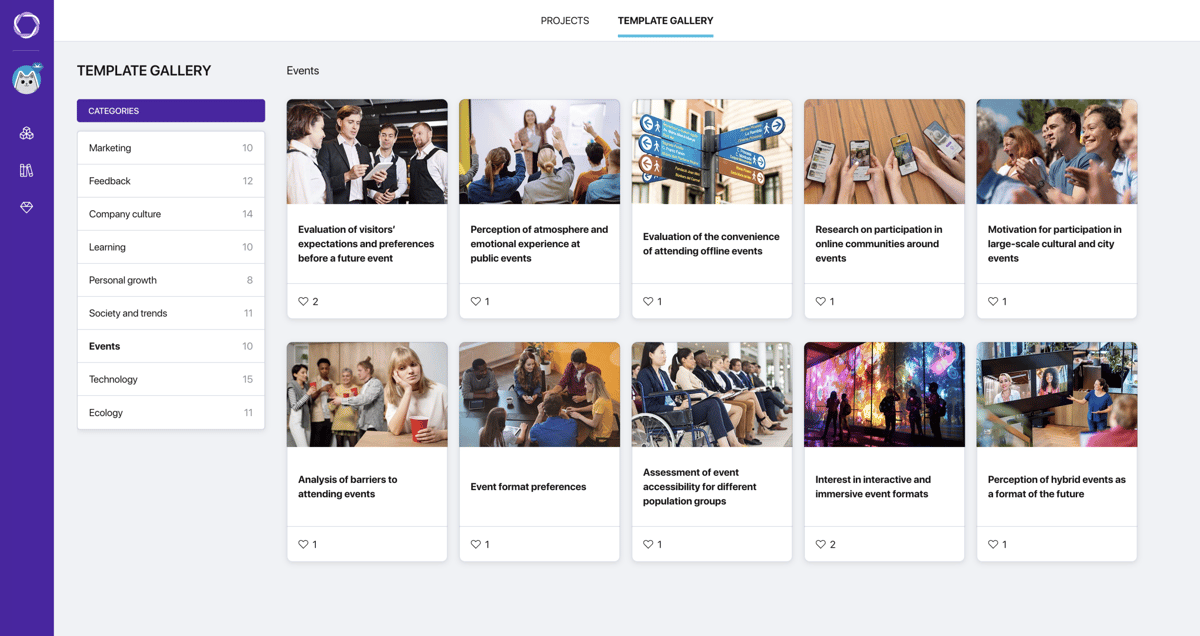
Template gallery
Categories
Templates are grouped by thematic categories. The category list is in the left panel — next to each category the number of templates is shown. Select a category to filter the templates in the main area.
Categories include marketing, feedback, company culture, learning, personal growth, society and trends, events, technology, and ecology. The catalog is constantly growing with new categories and templates.
Templates cover a wide range of tasks: from customer satisfaction surveys and corporate culture assessments to educational tests and public opinion research. Each template contains a well-thought-out question structure — you save time on design and get a working foundation right away.
Preview and selection
Click a template card to open the preview window:
- Left — the template name and description: who it is for and what it helps evaluate.
- Right — an interactive survey preview. You can scroll through all the questions and see the survey through a respondent's eyes before deciding to use it.
Click Use Template — a copy will be created in the current folder of your projects.
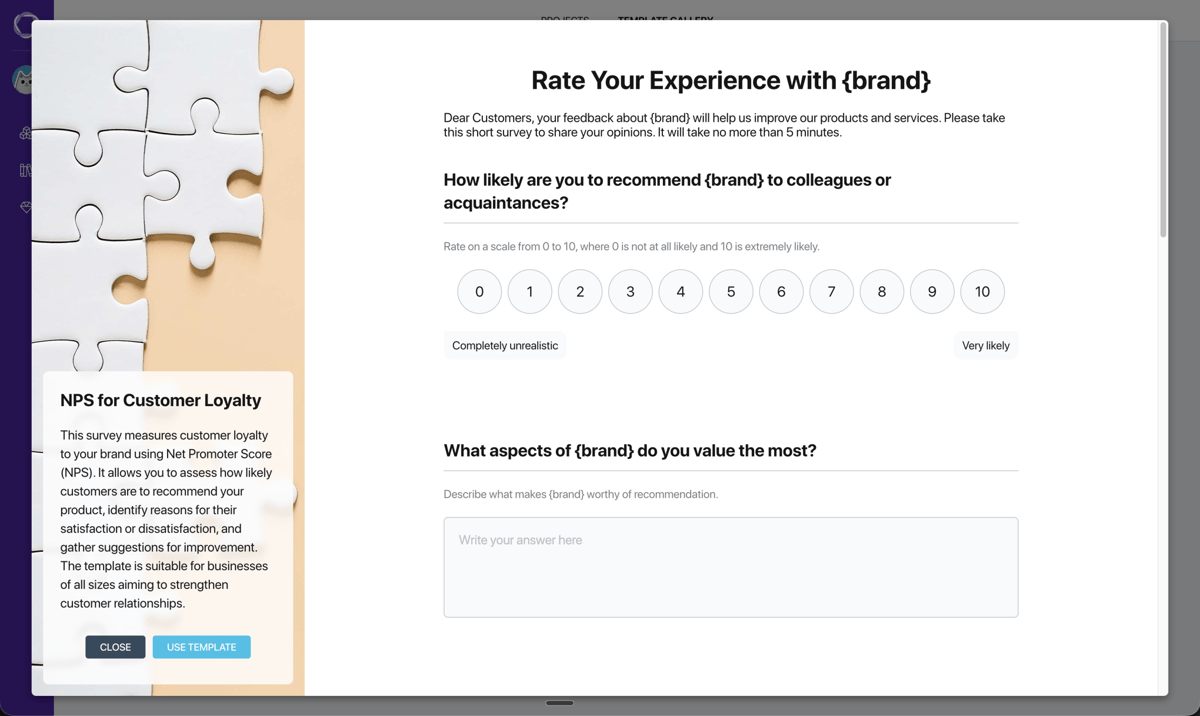
Template preview
What you can change after copying
A copied template is a full project. You can change everything in it: the title, questions, answer options, branching logic, design, and publishing settings. A template is a starting point, not a limitation.