
Testing and debugging
Before launching a survey, it is important to make sure everything works correctly — questions display properly, branching logic triggers as intended, and variables are calculated accurately. Pollsar provides a test run and a debugging mode for this purpose.
Test run
The central area of the Style tab is not just a theme preview but a full test run of the survey. You can go through the entire survey from start to finish just as a respondent would: all logical rules trigger, variable values update, and all pages and questions are displayed.
Two differences from a real survey completion:
- Test run results are not saved in statistics.
- A reset button is available in the top right corner to restart the survey from the beginning.
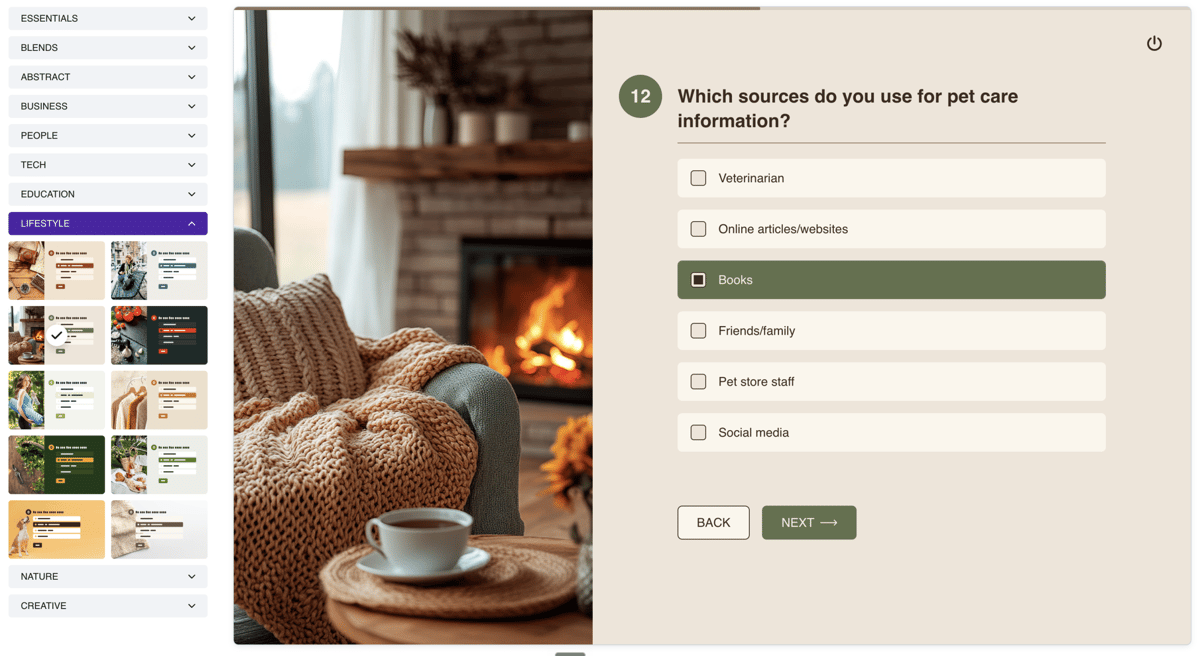
A test run on the Style tab
Desktop / mobile switching
The top toolbar provides a switch between display modes — desktop and mobile. In mobile mode, the survey is displayed within a smartphone frame, allowing you to evaluate the appearance and usability on mobile devices.
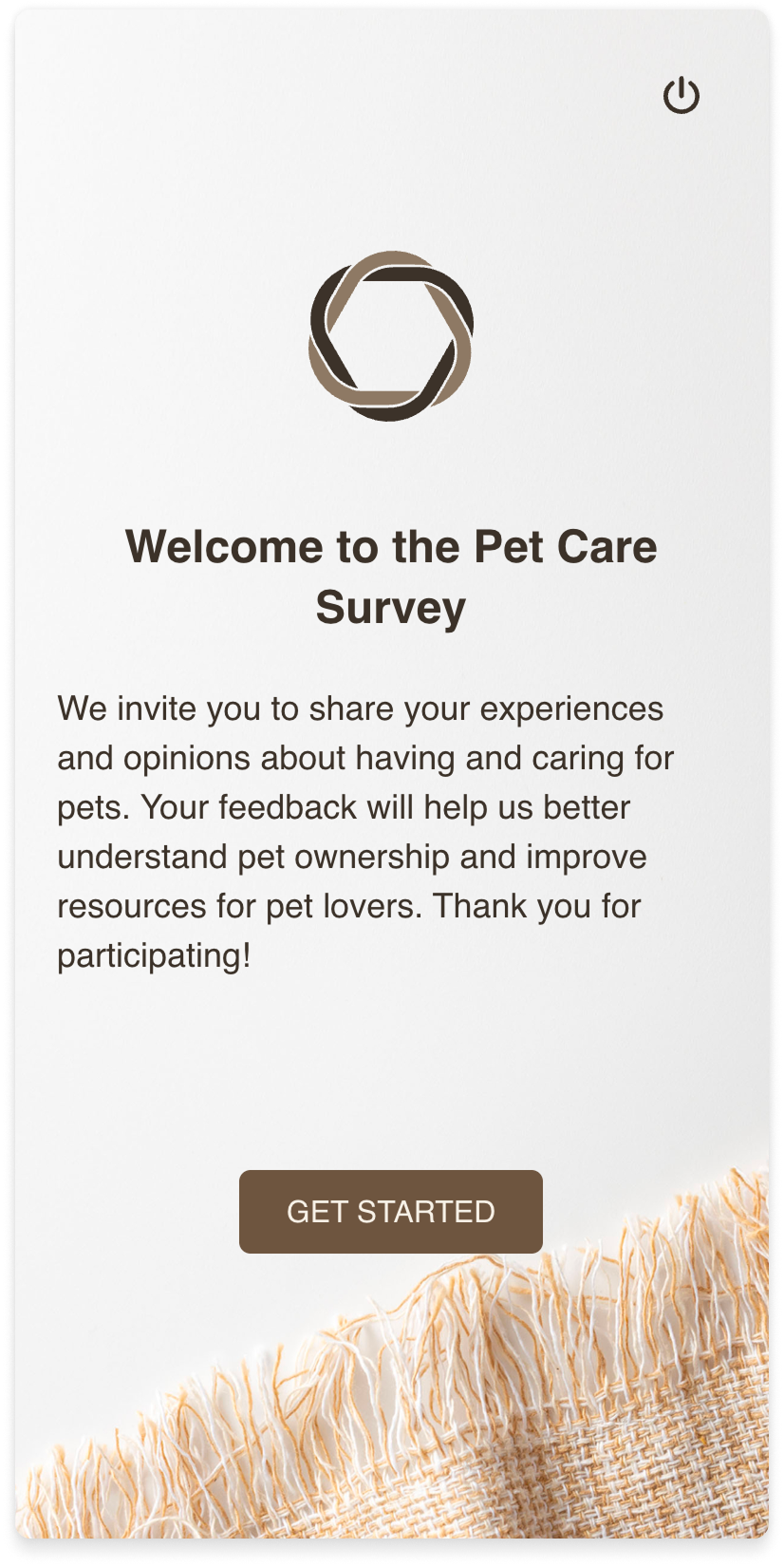
The test run in mobile mode
Debugging mode
The code icon button in the top right corner activates debugging mode. A variable panel appears on the right side of the preview area — a vertical list of all project variables with their current values.
The panel displays all project variables — user and system — with their current values. Values update in real time as you go through the survey, allowing you to verify the correctness of logic and calculations at every step.
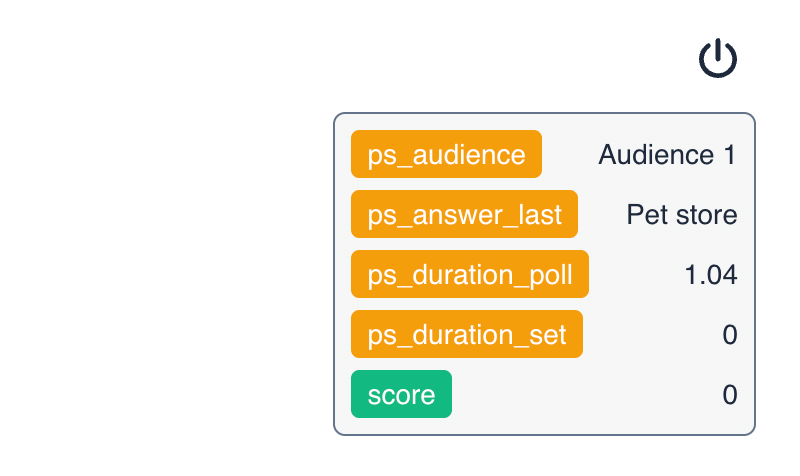
Debug mode
Recommendations
- Go through the test run for all possible branching scenarios — make sure each logic branch leads to the correct result.
- Use debugging mode to track how variable values change after each question.
- Check the survey in mobile mode — make sure questions and answer options display comfortably on small screens.



